
Last updated: August 2026
AI Marketing Automation Tools: Compare the Best Options by starting with the channels that now shape discovery, not just conversion. Email flows, lead scoring, and personalization still matter, but Google’s AI-driven search experience has changed what buyers should expect from automation software. The best tools now support faster production, cleaner governance, and stronger feedback loops between content, search performance, and revenue outcomes.
TL;DR
- Compare AI marketing automation tools by job, not hype.
- Match features to use cases: content, CRM, ads, and workflows.
- Look for data quality, integrations, and guardrails first.
- Use a simple scorecard to narrow your shortlist fast.
What AI marketing automation does differently
Rule-based automation follows fixed if-then logic. AI marketing automation adds prediction, generation, and adaptive decisions. A workflow can score leads from behavior, draft email variants, and shift send timing by likely engagement. That is a different category from “send email three days after signup.”
Good platforms also learn from your data. If a segment converts after two product views and one pricing visit, the system can prioritize that path. If the data is weak, the output is weak too. Teams using AI-driven email automation usually get more value from cleaner events than from extra prompt settings.
There is also a practical overlap with SEO and analytics stacks. A content team might use an AI copy workflow for drafts, then connect performance data before publishing the next campaign. The point is not to replace judgment. It is to remove repetitive decisions that machines can handle better than spreadsheets.
Compare tools by use case, not feature lists
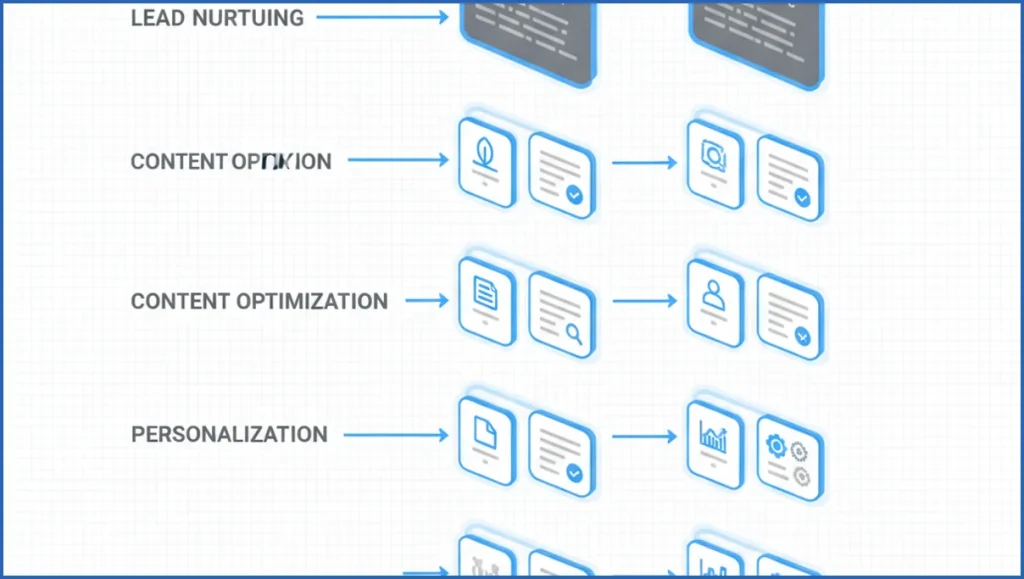
Start with four buckets: lead nurturing, content optimization, personalization, and reporting. HubSpot and ActiveCampaign fit nurture-heavy teams. Jasper or Writer fit content operations. Mutiny or Adobe Target fit website personalization. GA4-connected assistants fit reporting and diagnosis.
A simple example helps. If your team sends 12 lifecycle emails per month, compare tools on branching logic, send-time optimization, and CRM sync. If your pain is blog decay across 180 URLs, compare briefs, refresh suggestions, and analytics hooks instead. Content tool comparisons work better when the workflow is explicit.
| Feature | Tool A | Tool B | Verdict |
|---|---|---|---|
| Lead nurture logic | Strong CRM depth | Basic branching | Pick A for lifecycle teams |
| Content optimization | Limited | Briefs and refresh help | Pick B for editorial teams |
| Reporting | Good campaign views | Better cross-channel exports | B wins for analysts |
The key features that separate strong platforms
The first separator is prediction quality. Lead scoring, churn risk, product recommendations, and send-time optimization only matter if the model sees enough clean inputs. Ask what data powers each feature, how often it refreshes, and whether you can inspect the logic.
Second, check segmentation, prompts, and integrations. Natural-language setup is useful, but not if it breaks when you need custom fields or event filters. Strong platforms connect to CRM, ad, analytics, and warehouse sources. For reporting workflows, GA4 MCP tools can cut analysis time because they pull live performance data into the same working loop.
Third, look for guardrails. You want approval steps, brand rules, audit logs, and role permissions. One useful test is a reporting prompt that asks for weekly campaign anomalies and channel-level causes.
Prompt:
"Review last 28 days by channel. Flag any campaign with CPA up more than 20% week over week.
Suggest two likely causes and one action."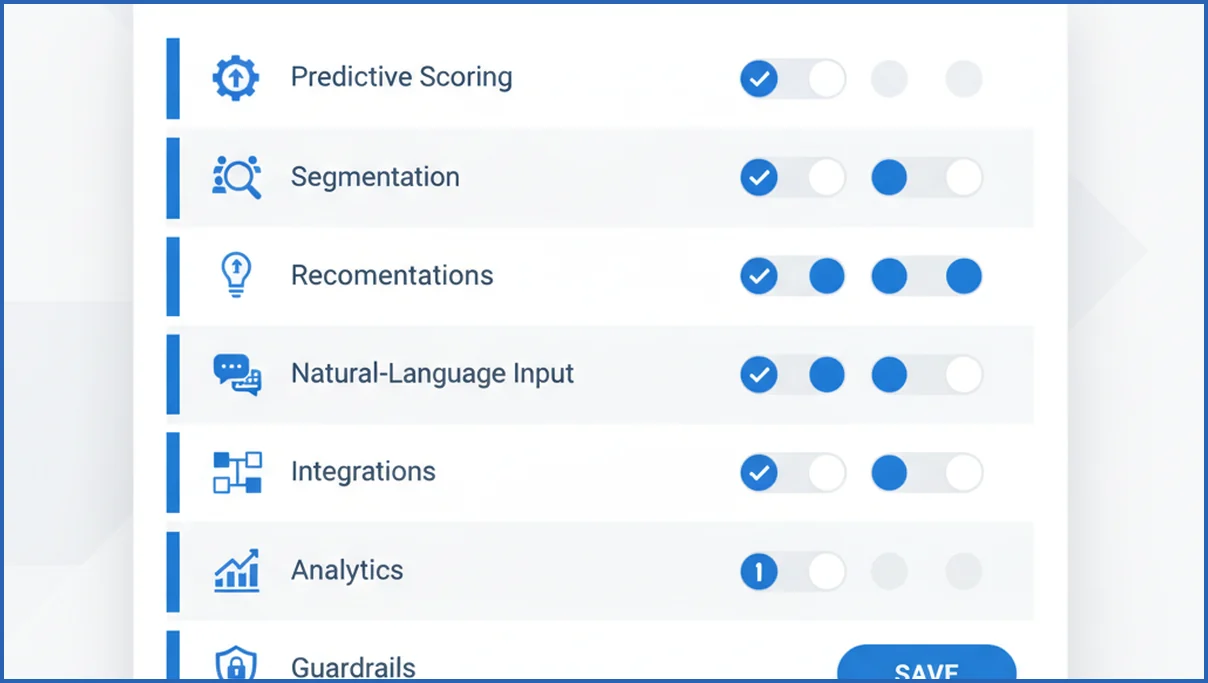
How to choose the right AI marketing stack
Use a scorecard before you book demos. Rate each tool from 1 to 5 on data access, setup effort, compliance fit, reporting depth, workflow coverage, and total monthly cost. Budget matters, but hidden implementation hours matter more.
- Define one primary workflow to improve.
- List required data sources and owners.
- Check legal, privacy, and approval needs.
- Run a 14-day pilot with one success metric.
For example, a growth team might test whether an AI assistant reduces weekly reporting time from 4 hours to 90 minutes. A content team might test whether refresh recommendations lift clicks on 25 decaying pages. If you need connected search data, a Google Search Console MCP setup gives a more grounded pilot than a generic chatbot alone.
Best-fit tool categories for common marketing teams
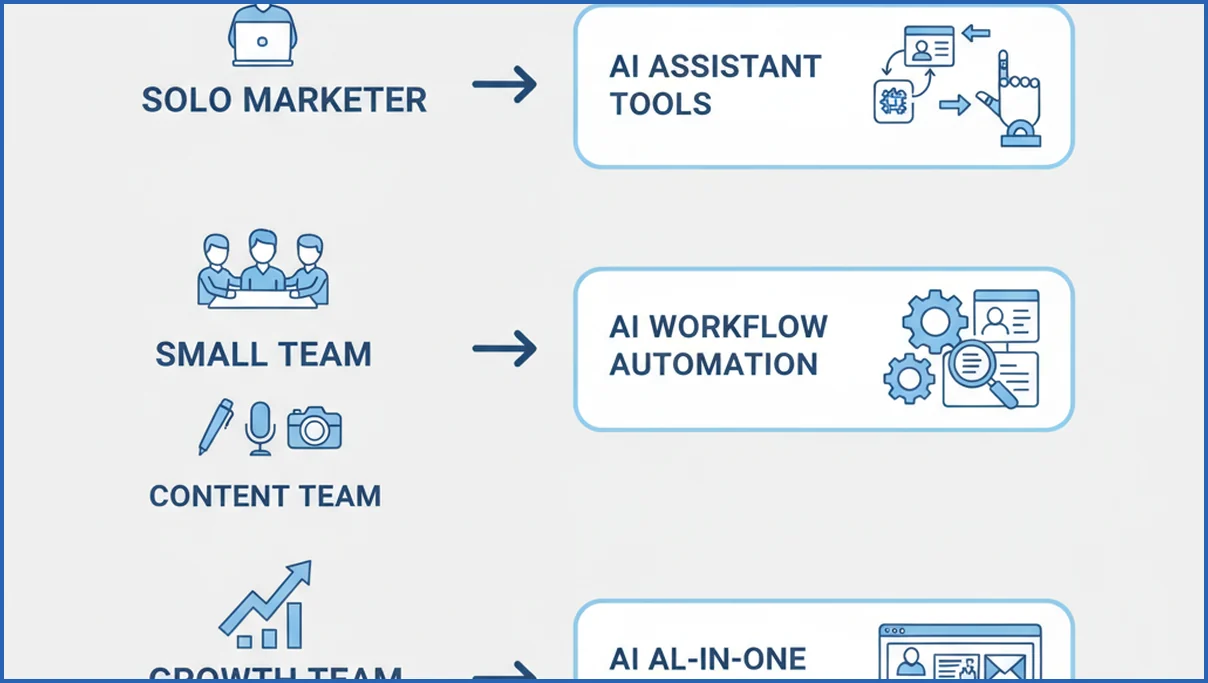
Solo marketers usually need assistant tools and light workflow automation. Small teams often need email plus CRM automation with a few AI layers. Content teams need optimization, briefs, refresh workflows, and analytics feedback. Growth teams need broader orchestration across CRM, ads, analytics, and experimentation.
That split matters because setup cost rises fast. An all-in-one suite can beat point tools when five people touch the same funnel every week. A smaller team may get more value from focused automation software plus one analytics connection than from a large platform with unused modules.
Risks, limits, and what to test before you buy
Bad inputs still break AI. Weak naming conventions, missing conversions, and duplicate contacts can turn smart-looking automation into noise. Over-automation is another common problem. If every segment gets machine-written messages, brand quality drops and unsubscribe rates usually tell you first.
Your pilot should test accuracy, speed, and control. Check whether outputs cite the right data, whether teams can approve changes, and whether the platform explains why it made a recommendation. If your stack is expanding into agents and connected tools, this view of marketing agents helps frame what should stay supervised.
How AI Overviews affect content and workflow automation
AI Overviews change what good content automation looks like. Publishing more assets is no longer enough if those assets do not answer specific questions clearly, cite strong evidence, and cover the query from several angles. In many cases, automation workflows now need tighter briefs, stronger fact checks, and clearer ownership between SEO, content, and demand generation teams.
For tool selection, this shifts value toward platforms that support modular content production. Teams should look for systems that can create summary blocks, comparisons, FAQs, and product explanations from one approved source set. Jasper, Copy.ai, and Writer can accelerate these formats, but speed matters less if the workflow lacks review gates. A useful setup lets editors approve claims, attach source notes, and push updates across pages when product details change.
Measurement also needs to improve. Instead of tracking only published output, teams should monitor impressions, query coverage, click-through changes, and assisted signups by topic cluster. That is where search data becomes part of the automation stack. If your team wants a practical framework for this shift, see AI search optimization for workflow ideas tied to real search behavior.
The best automation tools now help teams produce content that is easier to extract, summarize, and trust. That usually means better templates, stronger collaboration, and clearer data connections, not just more generated words.
How AI Mode changes marketing automation tool evaluation
AI marketing automation tools now need a search visibility layer, not just campaign efficiency. Google AI Mode pushes more answers directly into the results experience, which changes how buyers should score automation software. A tool that only drafts emails or social posts may save time, but it can still miss the channel where discovery begins. Google expanded AI Mode and AI-driven search experiences as part of its search roadmap, highlighted at Google I/O 2025.
That means evaluation should include source coverage, structured workflows, and reporting that connects content actions to impressions, clicks, and assisted conversions. Platforms like HubSpot, Jasper, Writer, and Salesforce Marketing Cloud should be judged by how well they support reusable briefs, entity consistency, expert review, and fast content refresh cycles. If your team is still learning the search shift, start with Google AI Mode explained before rewriting your scorecard.
- Check whether the tool can turn one brief into page, email, ad, and FAQ variants.
- Prioritize integrations with Search Console, GA4, and your CMS for closed-loop reporting.
- Score governance features higher if multiple teams publish in regulated or high-trust categories.
Frequently Asked Questions
How can AI be used to automate marketing?
AI can automate scoring, segmentation, copy drafts, send-time choices, reporting summaries, and product recommendations. The useful pattern is narrow first. Pick one repeatable task with clear inputs, such as weekly email optimization or lead prioritization. Then measure time saved, conversion lift, or error reduction before expanding into broader campaign automation.
What is the 10 20 70 rule for AI in marketing?
The rule usually means 10 percent on the model, 20 percent on data and technology, and 70 percent on people and process. The exact split varies, but the lesson holds. Most wins come from clear workflows, clean tracking, and team adoption. Buying a smarter tool rarely fixes poor handoffs or weak measurement.
Can ChatGPT help with marketing automation?
Yes, but mostly as a layer inside a process, not the whole system. It can draft nurture emails, summarize campaign performance, generate audience variants, and help build workflow logic. It becomes more useful when connected to real data sources and review steps. On its own, it is better at assistance than end-to-end orchestration.
Which teams benefit most from AI marketing automation?
Teams with repeated decisions and enough volume benefit first. That includes lifecycle marketing, content operations, paid acquisition, and revops-heavy growth teams. A solo founder can still benefit, but usually from lighter assistants or workflow tools. The bigger the team and the messier the handoffs, the larger the payoff from structured automation.
What should I test in an AI marketing tool trial?
Test one workflow, one metric, and one integration. Examples include reducing reporting time, improving email click rate, or speeding up content brief creation. Also test failure cases. Feed messy data, edge-case prompts, and approval requirements into the pilot. A smooth demo matters less than how the tool behaves when conditions are imperfect.
How do I compare AI tools without getting lost in features?
Write down the job, the data source, the user, and the success metric. Then score each option on workflow fit, integration depth, controls, and implementation cost. Ignore long feature grids until a tool survives that first filter. If two platforms look similar, pick the one that fits your team’s actual operating rhythm.
Build your shortlist around one painful workflow and one measurable outcome. If a vendor cannot show how its AI handles your data, your approvals, and your reporting loop, move on.
Do AI marketing automation tools help with Google AI Overviews visibility?
Yes, but usually indirectly. AI marketing automation tools help teams produce clearer briefs, update pages faster, and repurpose content into formats Google can summarize more easily. They do not guarantee AI Overviews visibility on their own. Results improve when the tool supports strong source control, factual editing, and search-informed workflows. For a broader framework, see answer engine optimization.
Final thoughts
The best AI marketing automation tool is no longer the one with the longest feature list. It is the one that helps your team create, measure, and improve assets across email, CRM, and search. As AI Mode and AI Overviews reshape discovery, software choices should reflect that reality. Compare tools by workflow quality, data connections, and visibility impact, then test them against one real use case before expanding adoption.

