Last updated: July 2026
SEO Automation Software Review: Best Options and Fit is no longer just about saving time on audits and reports. It is also about choosing tools that help your pages stay visible as Google adds AI-driven search experiences. The strongest platforms reduce manual work, connect scattered data, and show where content needs clearer answers, fresher evidence, and stronger technical support before visibility slips.
TL;DR
- Compare tools by task, not just by feature lists.
- Automation helps most with auditing, updates, and reporting.
- Best fit depends on team size, site complexity, and budget.
- Use this review to shortlist software faster.
What SEO automation software actually does
SEO automation software handles repeatable work that follows clear rules. Think scheduled site crawls, rank tracking, page change alerts, internal link suggestions, schema checks, and recurring reports. It can also push briefs, surface content decay, and flag pages stuck in positions 8 to 15.
Good automation saves time on work humans should not repeat manually. It does not replace judgment on search intent, information gain, or editorial quality. If you already use APIs or tools like Claude MCP integrations for search and analytics, you are already close to a practical automation stack.
A simple example is weekly Search Console monitoring. A workflow can pull query losses, compare 28-day windows, and group declines by template. Teams that already review Search Console analysis workflows usually see where software helps most: finding patterns fast, not making strategy for you.
How to compare tools: features that matter most
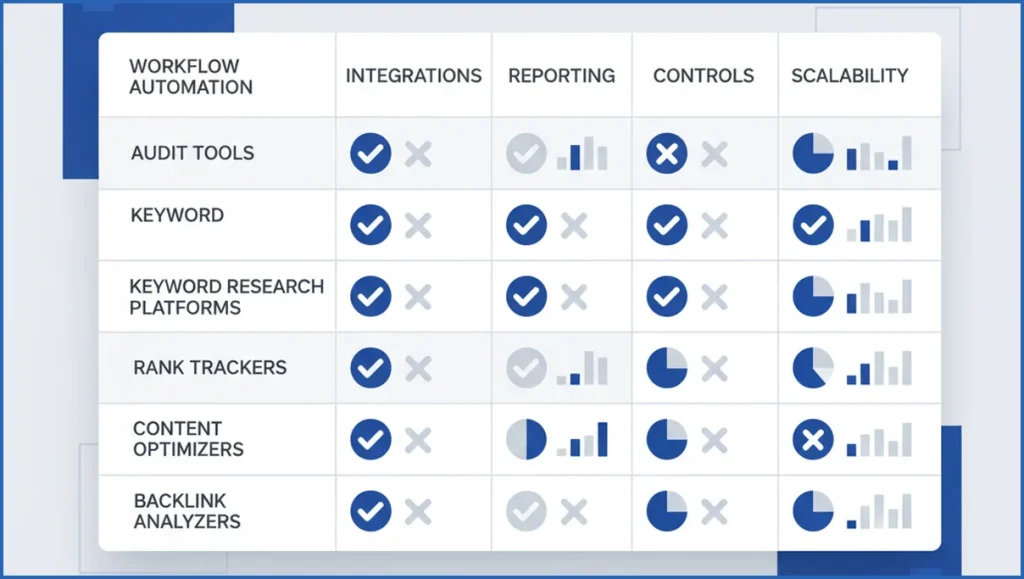
Start with workflows, not vendor pages. Ask what should happen automatically each week: crawl, detect issue, assign owner, report impact, and verify the fix. If a tool only finds problems but cannot route them, it is still manual work with prettier charts.
Next, check integrations and controls. Search Console, GA4, CMS hooks, Slack, Looker Studio, and API access matter more than one more visibility score. Teams building custom reporting should also review GA4 MCP options if they want raw data available outside a closed interface.
Reporting quality matters too. Executives need trend summaries. Practitioners need affected URLs, template groups, and exportable evidence. For large sites, permissioning and audit logs are not extras. They are table stakes.
| Feature | Crawler-led platforms | Content-led platforms | Workflow-led stacks | Verdict |
|---|---|---|---|---|
| Technical issue detection | Strong | Limited | Depends on source tools | Best in crawler-led tools |
| Content refresh automation | Basic | Strong | Strong with prompts and rules | Best in content-led or custom stacks |
| Integrations | Mixed | Mixed | Strong | Workflow-led wins if setup is acceptable |
| Enterprise governance | Strong | Mixed | Mixed | Large teams should test permissions early |
Best SEO automation software by use case
For content teams, look for software that refreshes briefs, tracks decaying pages, and suggests internal links. Those teams often pair optimization software with process docs from a broader content planning framework. Content tools move fast, but they often miss deeper crawl waste or indexation issues.
For technical SEO, crawler-first platforms usually fit better. They handle redirects, canonicals, hreflang, broken links, XML sitemap checks, and JS rendering issues at scale. Rival content platforms are often better at editor workflows, so be honest about which side of SEO causes your current bottleneck.
Enterprise teams usually need monitoring plus governance. That means user roles, alert thresholds, template-level reporting, and API output into BI tools. If you run a large catalog or publisher site, the needs overlap with large-scale SEO operations more than with a startup content calendar.
A practical stack might look like this: crawler for weekly audits, rank tracker for priority terms, Search Console connector for performance deltas, and an AI layer that drafts action notes. Example output can be as simple as:
Run weekly:
1. Pull URLs with clicks down > 20% over 28 days
2. Match to crawl issues found in last 7 days
3. Group by template: /blog/, /product/, /category/
4. Send summary to Slack with top 10 affected pages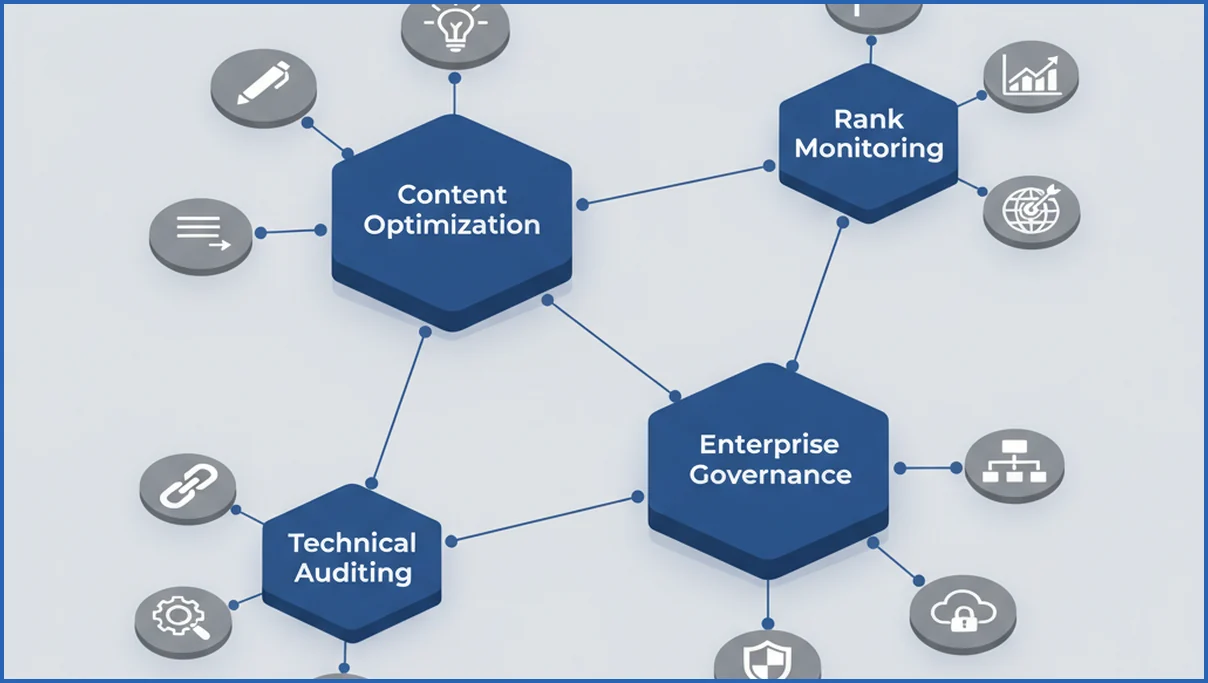
Pros, limits, and hidden trade-offs
The upside is obvious. Automation cuts repetitive work, standardizes reporting, and catches issues earlier. Teams with 5,000 or 500,000 URLs gain the most because manual review breaks down quickly.
Risks show up when teams automate weak processes. A bad title update rule can rewrite 3,000 pages with thin variants. A noisy alert system gets ignored by week three. If your on-page rules are still messy, fix that before scaling with stronger on-page SEO practices.
There is also vendor lock-in. Some platforms score everything inside their own model and make exports painful. If you may switch later, test data portability first.
Pricing and team fit: who each option suits
Small teams usually do best with focused tools. One crawler, one reporting layer, and one content workflow tool is often enough. Paying for enterprise governance before you need it is just expensive reassurance.
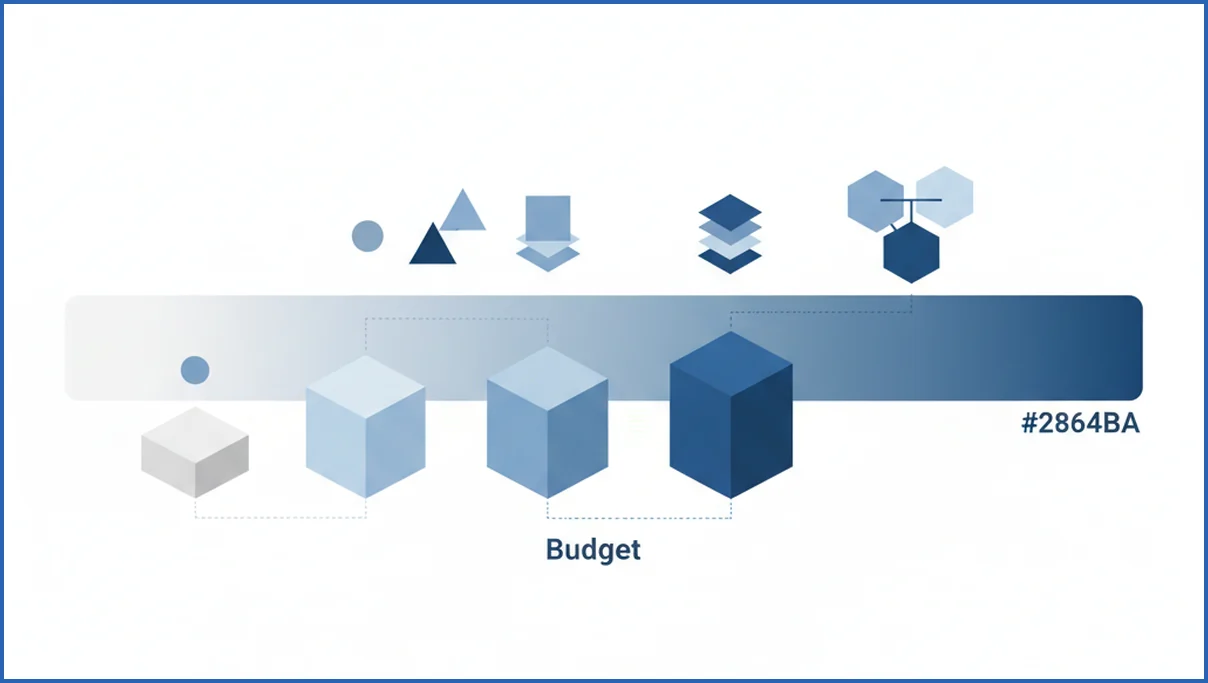
Mid-size teams should value integrations and automation depth over surface features. This is where pricing gets slippery. A cheaper plan can cost more once you add seats, crawl units, tracked keywords, or API limits. Reviewing SEO pricing benchmarks and cost assumptions helps anchor the real budget discussion.
Enterprise buyers need implementation clarity. Ask how long setup takes, who owns QA, and whether custom dashboards require professional services. Budget and team size usually matter more than brand popularity.
How to choose and test your shortlist
Use a short, disciplined process instead of six demos and a vague scorecard.
- List your top 3 repeat tasks by hours lost per month.
- Map required data sources, such as GSC, GA4, crawl data, and CMS fields.
- Shortlist 2 to 4 tools by fit, not by market share.
- Run a 14-day test on one real workflow.
- Measure setup time, alert quality, export quality, and actionability.
During the trial, use a narrow success metric. For example: reduce manual reporting from 4 hours to 45 minutes, or identify 50 broken internal links faster than your current process. If you are also adapting for AI answers, your shortlist should fit broader answer engine optimization work, not just classic blue-link tracking.
A useful test question is simple: did the software help your team ship fixes faster this week? If not, keep looking.
AI search visibility checks and content readiness
AI search visibility checks should tell you more than whether a keyword moved from position 8 to 5. They should reveal whether a page is eligible to be summarized, cited, or skipped. In practice, that means reviewing passage clarity, heading logic, factual support, and how directly a page answers likely follow-up questions. Tools like Semrush, Ahrefs, and Clearscope can support parts of this process, but many teams still need custom workflows to inspect answer quality.
Content readiness also depends on structured evidence. A strong page often includes named products, dates, pricing ranges, comparisons, and source-backed claims. Automation can flag missing schema, thin sections, or stale facts, but it should also surface pages with weak entity coverage and vague intros. Google has said AI features use advanced reasoning and broader information retrieval, so shallow copy is less likely to hold up across complex prompts (Google I/O 2025).
The most practical setup combines crawling, query clustering, and Search Console data. That helps teams group pages by intent, spot where impressions rise without clicks, and improve pages that may already inform AI summaries. If your team is adapting content for answer-style discovery, answer engine optimization gives a useful framework for page structure and evidence design.
How AI Mode changes what SEO automation tools should do
SEO automation software review criteria changed once Google started expanding AI-driven search experiences. Tools still need rank tracking, crawling, and reporting, but that is no longer enough. They also need to show whether content can be cited, summarized, and trusted inside AI-led results. Google has discussed AI Overviews and AI Mode as new search surfaces, which means teams need better visibility checks beyond ten blue links (Google I/O 2025).
The better platforms now connect technical signals with answer readiness. That includes entity coverage, source clarity, author attribution, internal linking, schema validation, and freshness checks. A tool like Semrush, Ahrefs, or Screaming Frog becomes more useful when it helps teams see which pages answer multi-step questions clearly. If you need the search context behind this shift, see Google AI Mode explained.
- Track query classes that trigger AI summaries, not just classic rankings.
- Flag pages missing citations, unique evidence, or clear answer structure.
- Connect Search Console, analytics, and content workflows for faster updates.
Frequently Asked Questions
What tasks can seo automation software handle?
It can handle crawls, rank tracking, technical issue alerts, page change monitoring, report generation, internal link suggestions, metadata checks, and content decay detection. Some tools also assign tasks and sync results into Slack or BI tools. The safest rule is this: automate repeatable detection and reporting first, then test controlled updates on a small page set before expanding.
Is seo automation software safe for small sites?
Yes, if you keep the setup simple and avoid bulk changes without review. Small sites benefit from scheduled crawls, uptime checks, Search Console summaries, and light reporting. They usually do not need enterprise workflows or complex rule engines. The risk comes from overbuying and then automating changes your team cannot properly review or roll back.
Do these tools replace an SEO specialist?
No. They replace repetitive tasks, not search judgment. An SEO specialist still decides what matters, how to prioritize fixes, and when automation output is wrong. Software can tell you that 142 pages lost clicks. It cannot reliably tell you whether intent shifted, a competitor improved, or the page needs a rewrite instead of a technical fix.
Which features matter most for technical SEO?
Prioritize crawl depth, JavaScript rendering checks, canonical and redirect reporting, indexation diagnostics, segmentation by template, change monitoring, and export quality. API access matters if you want to combine issue data with traffic or revenue. For larger sites, permission controls and scheduled alerts matter too, because technical SEO work usually spans engineers, content teams, and stakeholders.
How do I compare automation tools on pricing?
Ignore the entry price alone. Compare seat limits, tracked keyword caps, crawl credits, API access, report quotas, and onboarding fees. Then estimate your real monthly usage. A plan that looks cheaper can become expensive once your site grows or more people need access. Ask each vendor for pricing based on your actual URL count and reporting frequency.
What should I test before paying for a plan?
Test one real workflow end to end. Make sure the tool can collect the right data, surface the right issue, route it to the right person, and prove whether the fix worked. Also test exports, alert noise, setup time, and support responsiveness. If the trial only shows polished dashboards, you still do not know whether it helps operations.
Your next step is to pick one recurring SEO job, put a time estimate on it, and test whether automation cuts that time without lowering quality. That single workflow will tell you more than any feature grid.
Can SEO automation software help with AI Overviews visibility?
Yes, in many cases it can help indirectly. SEO automation software can flag pages with weak structure, stale facts, missing schema, and poor internal linking, all of which affect citation readiness. It can also monitor impression changes, query patterns, and competitor coverage after updates. For a broader playbook on AI search visibility, see AI search optimization.
Choosing tools for the next phase of search
The best SEO automation stack now supports both classic rankings and AI-shaped discovery. Look for software that connects crawling, Search Console data, content checks, and brand monitoring in one workflow. When a tool helps you spot citation gaps and improve answer readiness, it becomes more than a dashboard. It becomes a practical system for adapting search performance as user behavior changes.