
Last updated: June 2026
AI email marketing works best when it removes slow, repetitive work and leaves judgment with the team. That means faster briefs, tighter segments, better testing, and fewer guess-based sends. If your current process lives across docs, drafts, and dashboard tabs, AI can turn it into a repeatable system instead of a string of one-off campaigns.
TL;DR
- Use AI to speed up planning, writing, and testing.
- Map AI to each stage of the email workflow.
- Personalization and timing drive higher engagement.
- Human review keeps brand voice and accuracy intact.
What AI email marketing actually changes
Most teams do not need AI to replace email strategy. They need it to shrink the time between insight and action. AI can summarize audience behavior, draft variants, flag weak subject lines, and surface patterns from campaign history. That shifts email from manual batch production to quicker, data-informed decisions.
Used well, AI affects three layers. First, planning gets faster because campaign goals, offers, and audience inputs can be turned into briefs in minutes. Second, production gets cleaner because copy, CTAs, and test ideas start from a usable draft. Third, optimization improves because models can spot timing, fatigue, and engagement trends that humans miss in crowded dashboards.
That does not mean full automation. A smart setup looks closer to an AI-assisted writing workflow than an autopilot. The model proposes. Your team edits, approves, and decides what goes live.
Map your AI-powered email workflow
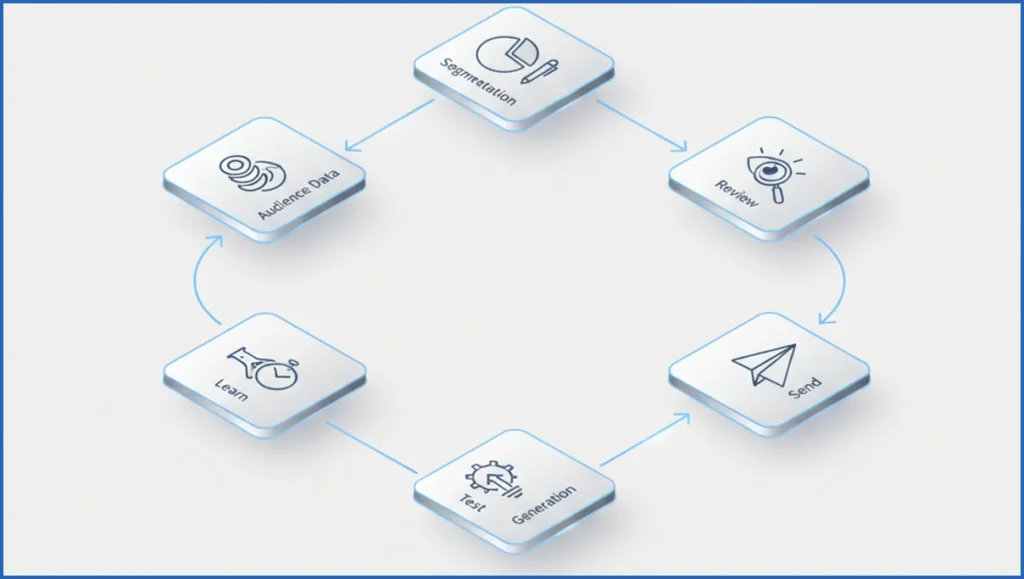
Start with a fixed sequence, not random prompts. A workable flow is input, segment, draft, review, send, test, and learn. Teams that skip this structure usually end up with inconsistent tone and messy reporting. The same logic shows up in automated email marketing systems that actually save time.
One simple weekly workflow for a SaaS team could look like this: Monday, pull last 30 days of opens, clicks, trial starts, and churn risk. Tuesday, let AI cluster users into three campaign groups. Wednesday, generate one email per group with two subject lines each. Thursday, human review for claims, brand voice, and compliance. Friday, send, then log results in a campaign sheet.
- Collect audience and campaign inputs.
- Create segments from behavior and lifecycle stage.
- Generate email drafts and test variants.
- Review for brand, legal, and factual accuracy.
- Send, measure, and feed results back into the next cycle.
Use AI for segmentation and personalization
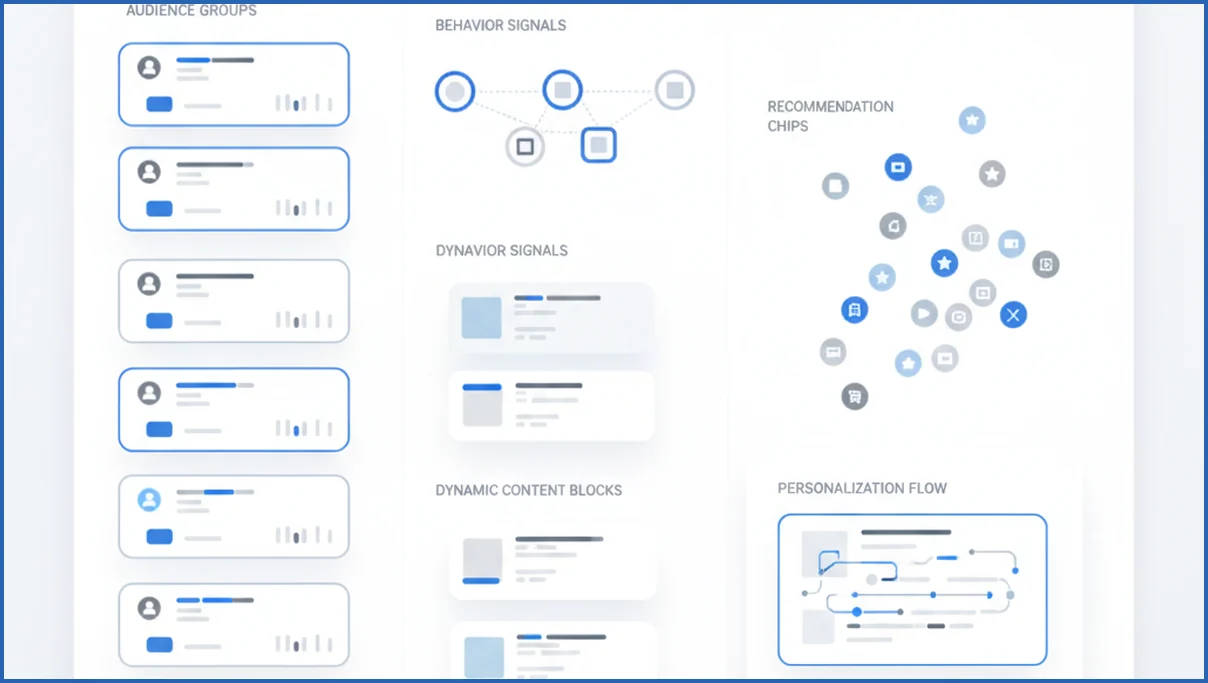
Segmentation is where AI email marketing starts paying for itself. Rules like “opened one email in 30 days” still matter, but models can add likely intent, purchase probability, and topic affinity. A store can separate repeat buyers who browse accessories from first-time buyers who only click discount-led messages. Those are different emails.
Personalization also gets better when AI selects blocks, not just names. Instead of one generic newsletter, you can vary hero products, proof points, and CTAs by behavior. That approach fits well with AI-personalized drip campaigns because each send reflects recent actions, not static list labels.
A practical example: one B2B team might score leads by demo page visits, pricing clicks, and webinar attendance. Users above 70 points get a case-study email. Users at 40 to 69 get an objection-handling email. Users below 40 get education content. You do not need dozens of segments. You need a few useful ones.
Write stronger emails with AI assistance
AI is useful at the blank-page stage. Give it the offer, audience, objections, tone rules, and one strong example. Then ask for a subject line set, preview text, body draft, and three CTA options. If you want a broader view of tool trade-offs, this AI content generator comparison is a good reference point.
Good teams keep prompts structured. A prompt like “write a product email” produces mush. A prompt like the one below usually produces something editable.
Write a retention email for trial users on day 9.
Goal: push first report creation.
Tone: direct, helpful, no hype.
Include: one pain point, one proof point, one CTA.
Avoid: fake urgency, unsupported claims, long intro.
Human review still matters most in regulated spaces, pricing claims, and brand tone. AI can sharpen phrasing, but it cannot own accountability.
Optimize send time, testing, and performance
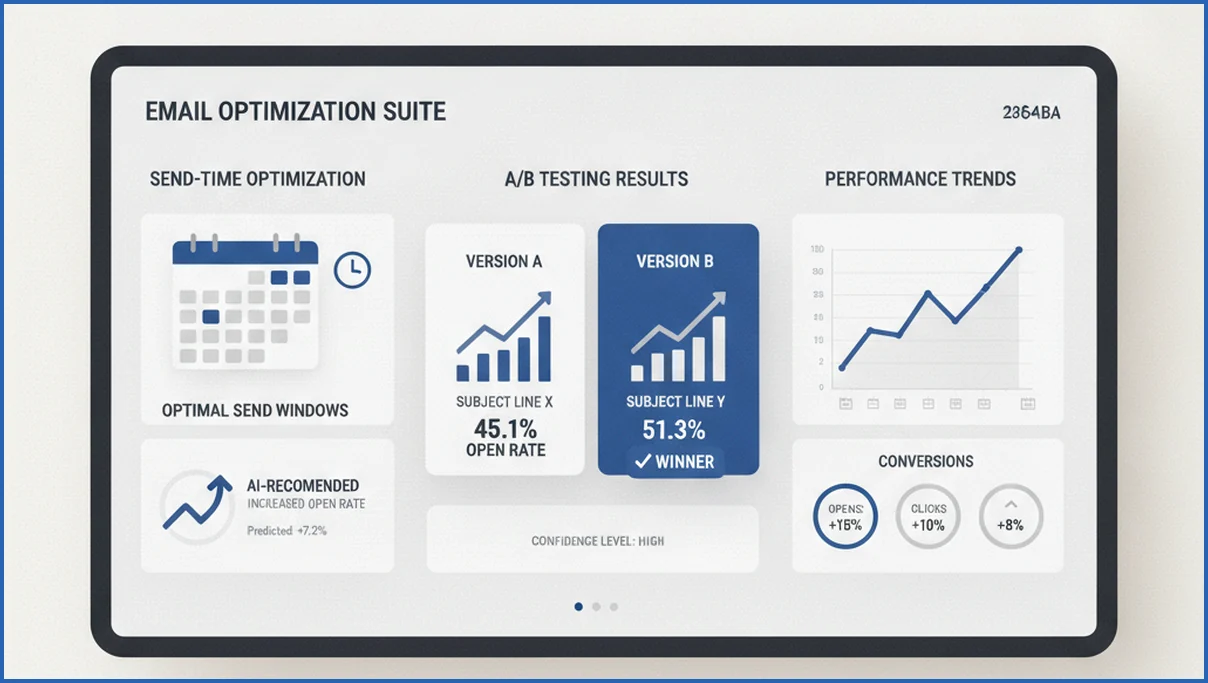
Timing and testing are usually under-optimized because teams are busy shipping. AI can predict when users tend to open, who is showing fatigue, and which subject line pattern underperforms. That beats choosing 10:00 a.m. because it worked once.
Use AI to review campaign history, then test one variable at a time. For example, compare curiosity versus utility subject lines for a 25,000-subscriber segment. Or reduce send frequency for users with four unopened emails in 14 days. If you pipe campaign data from the GA4 MCP setup or similar analytics tools, the feedback loop gets much faster.
Avoid common AI email marketing mistakes
The biggest mistake is over-automation. Teams let the model write generic copy, skip review, and wonder why clicks flatten. Another common problem is weak source data. If lifecycle stages are wrong or event tracking is incomplete, AI just scales bad decisions faster.
Privacy and compliance need equal attention. Be careful with customer attributes, consent status, and industry rules. Also watch for hallucinated product details, stale offers, and invented social proof. The safer pattern is simple: structured inputs, narrow tasks, approval gates, and clear measurement. That same discipline shows up in practical discussions of marketing agents too.
Frequently Asked Questions
How do I start using AI in email marketing?
Start with one repeatable task, not your whole program. Subject line generation, campaign summaries, and first-draft copy are low-risk starting points. Pick a single email type, define your brand rules, and compare AI-assisted output against your current process for four weeks. If quality holds and production time drops, add segmentation or testing next.
What tasks should AI handle in an email workflow?
AI is strongest at pattern-finding and draft creation. Let it summarize performance, suggest segments, draft copy variations, recommend send times, and flag disengaged subscribers. Keep approvals, legal review, strategic positioning, and final brand calls with humans. The split is simple: AI handles speed, your team handles judgment.
Can AI improve email personalization for small teams?
Yes, especially when a small team lacks time for manual segmentation. Even basic models can group users by recency, product interest, or lifecycle stage, then match different content blocks to each group. You do not need enterprise complexity. Three to five smart segments usually beat one generic newsletter sent to everyone.
How do I keep AI-generated emails on brand?
Create a short brand brief for the model. Include approved phrases, banned phrases, tone examples, formatting preferences, and claim limits. Feed that brief into every prompt or workflow template. Then appoint one editor to review all AI-assisted campaigns. Consistency comes from enforced inputs and a real editorial owner, not from hoping the model remembers.
Does AI help with email send time optimization?
Often, yes. AI can scan past engagement by user, segment, and campaign type, then suggest better send windows than a fixed schedule. It also helps identify over-sending patterns that hurt engagement. Still, treat predictions as test ideas. Validate them against actual open, click, and conversion data before making them your default.
What data do AI email tools need to work well?
They need clean behavior and lifecycle data first. Useful inputs include opens, clicks, page visits, purchases, trial status, subscription age, and unsubscribe signals. Product catalog data helps with recommendations. Badly named events, missing consent data, and inconsistent customer IDs will weaken results faster than any prompt problem.
Pick one campaign type this week and map it from input to learning. If you cannot explain where AI helps at each step, do not add another tool yet.

