
Last updated: July 2026
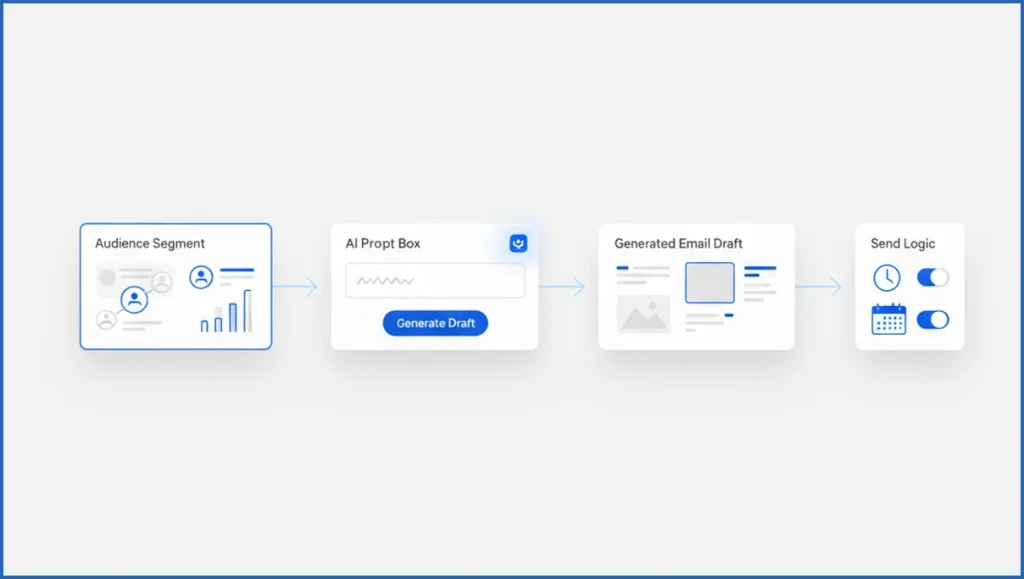
Customer.io AI works best when you treat it like a fast campaign assistant, not a strategist. It can speed up briefs, subject lines, variants, and lifecycle copy, but the real lift comes from pairing that output with clear segments and send logic. If your inputs are vague, your campaign gets vague fast.
TL;DR
- Use AI to speed up campaign planning and copy creation.
- Pair automation with audience rules for better relevance.
- Test subject lines, timing, and offers before scaling.
- Track outcomes to refine prompts and campaign logic.
What Customer.io AI can do for campaigns
Customer.io AI can help with first-draft copy, campaign structure, message variants, and faster iteration. That matters when a team needs to ship a welcome flow, win-back sequence, or feature launch in hours, not days. It fits especially well alongside automated email marketing workflows where timing and audience state matter as much as the words.
Still, AI does not know your product nuance, churn risks, or legal guardrails by default. Use it for speed, not blind trust. A smart setup is simple: define the goal, feed a tight prompt, then attach the output to segments, triggers, and review steps. That is close to how strong AI copywriting workflows already run in practice.
Define the goal, audience, and message
Start before you open the tool. Write one sentence for the outcome, one for the audience, and one for the offer. Example: “Move trial users who created 0 projects in 7 days toward their first setup completion with a 15-minute onboarding email.” That gives AI a real job.
Next, list the audience signals. Include plan type, product event, geography, and lifecycle stage. If you skip this, the draft sounds polished but generic. Teams building broader planning systems can borrow from content marketing strategy frameworks and shrink them down to campaign scale.
- State the business goal in one metric.
- Name the exact segment and exclusion rules.
- Write the core promise in plain language.
- Add tone notes and compliance limits.
Draft campaign content with AI prompts
Good prompts produce usable copy. Bad prompts produce cleanup work. Ask for subject lines, preview text, body copy, and two variants by audience intent. A practical prompt is: “Write 3 email versions for trial users with no activation event after 7 days. Tone: direct, helpful, low-pressure. Goal: first project created.”
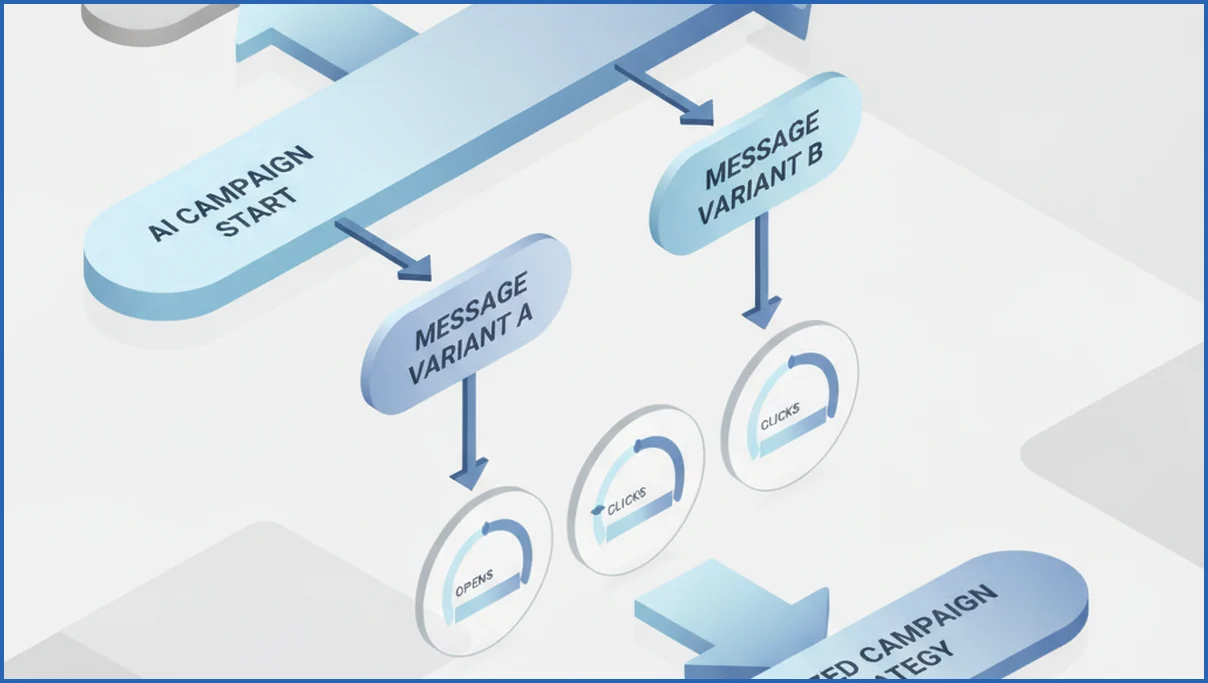
Give the model constraints. Set word count, CTA style, banned claims, and product facts. One solid workflow is to create Version A for hesitant users and Version B for high-intent users. If you want a deeper system for prompt structure and revision loops, see AI personalization for drip campaigns.
Prompt:
Audience: trial users, 0 projects created, signed up 7-10 days ago
Goal: drive first project setup
Offer: 14-day checklist + quick-start template
Tone: clear, calm, practical
Output: 5 subject lines, 2 preview texts, 2 email bodies, 1 CTA each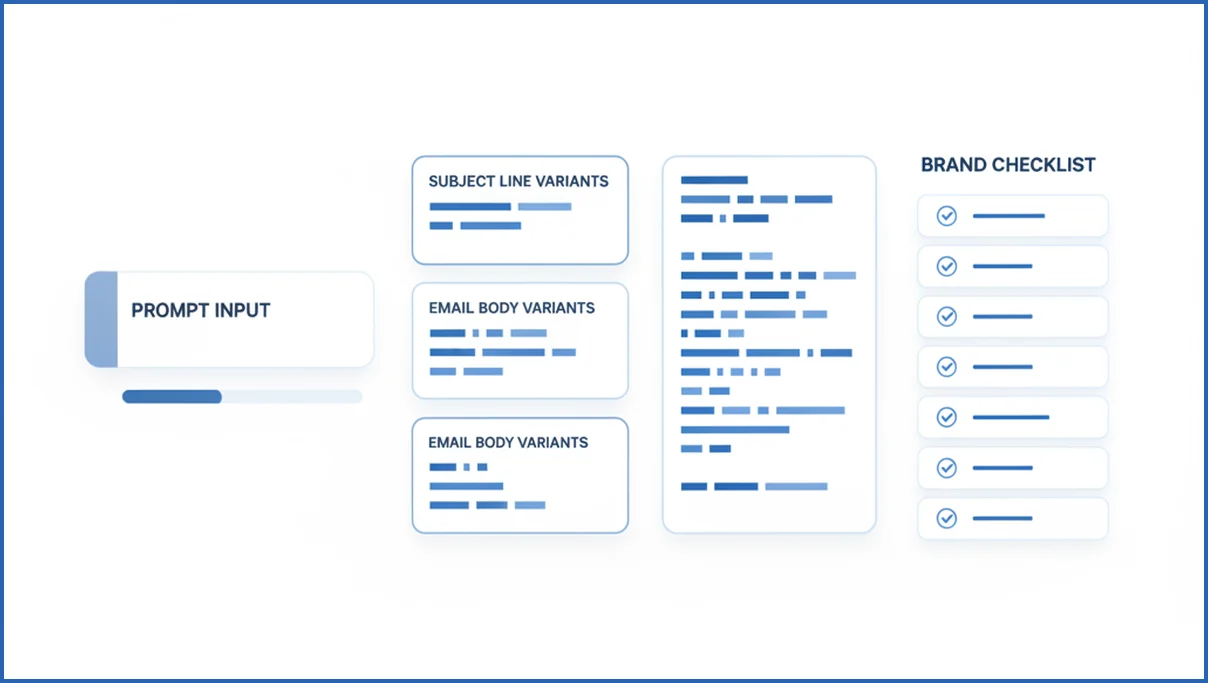
Set rules, triggers, and send logic
Copy is only half the job. Customer.io AI content gets stronger when it sits inside behavior-based logic. Trigger on real events like signup completed, checkout abandoned, or report exported. Then add delays, exits, and suppression rules so users do not get the wrong message after they convert.
A basic example: send Email 1 four hours after cart abandonment, skip anyone who purchased, then send Email 2 after 36 hours only if the cart value stays above $50. That kind of logic matters more than clever wording. If your team tracks outcomes across tools, GA4 MCP workflows can help surface which sequences assist revenue rather than just open rates.
Test, compare, and improve performance
Test one variable at a time. Start with subject line, then offer framing, then send time. If Version A gets a 31% open rate and Version B gets 27%, keep the winner only if clicks or conversions also hold. Opens alone can mislead.
Use a short review loop after every send. Save the prompt, the winning variant, the segment, and the result. Over three to five campaigns, patterns show up fast. You may learn that concise benefit-led copy wins for new users, while proof-led copy works better for reactivation. That kind of measured iteration is more useful than chasing every new AI marketing agent trend.
Common mistakes to avoid with AI campaigns
The most common mistake is asking AI to write for “all users.” That usually creates soft, broad copy with no urgency. Another miss is over-automating. If nobody reviews the final draft, generic claims and wrong product details slip through.
Weak segmentation hurts just as much. A churn-risk user, a power user, and a brand-new lead should not get the same message with a few token edits. Keep humans involved at the strategy layer, especially for offers, tone, and send frequency.
Frequently Asked Questions
Is Customer.io AI good for email campaigns?
Yes, especially for drafting faster and creating multiple variants without starting from a blank page. It helps most when your team already has clean segments and a clear conversion goal. If your data model is messy or your messaging is unclear, AI will not fix that. It will simply produce faster versions of the same confusion.
Can AI write different versions for each audience?
It can, if you define those audiences with actual traits and behaviors. Feed it lifecycle stage, product usage, offer context, and tone rules. For example, “new trial with no activation” and “active customer eligible for upgrade” should each get separate prompts. The more specific the audience input, the more distinct the output feels.
How do I keep AI copy on brand?
Give the model a short brand checklist before asking for output. Include tone, banned phrases, reading level, CTA style, and product truths it must not distort. Many teams also keep one approved example email and ask AI to match its rhythm. Final review should stay human, especially if regulated claims or pricing language appear.
What should I test first in an AI campaign?
Start with subject lines if your open rate is weak. Start with the offer or CTA if people open but do not act. Timing is another useful early test for lifecycle emails, because a six-hour delay and a 48-hour delay can produce very different results. Keep the first round narrow so you can trust what changed.
Does AI replace manual campaign strategy?
No. AI can draft and organize, but it does not choose the right business priority on its own. Someone still needs to decide whether the campaign should push activation, expansion, retention, or recovery. Strategy also covers trade-offs, like when not to send, which is often where experienced marketers beat automated systems.
How do I measure AI campaign performance?
Use the same metrics you trust for any campaign, then compare them against a human-written baseline when possible. Track opens, clicks, conversions, unsubscribe rate, and downstream revenue or activation events. Also log the prompt used. Over time, that helps you see which prompt structures lead to stronger outcomes, not just nicer-looking copy.
What makes an AI campaign feel personalized?
Real personalization comes from context, not just using a first name token. Mention a recent action, a missing setup step, a current plan limit, or a relevant use case. A message feels personal when it reflects what the user actually did or failed to do. Generic “just for you” phrasing usually has the opposite effect.
Pick one live lifecycle campaign this week, rewrite the brief in 4 lines, then generate two AI variants tied to one clear segment. If neither beats your current control after a fair test, the problem is probably the offer or audience logic, not the model.

