
Last updated: August 2026
An AI content brief template gives your team one repeatable way to turn a topic into a writer-ready asset. That matters when briefs come from multiple people, deadlines are tight, and SEO requirements keep shifting. AI can speed the research, but the template is what keeps the output useful. Without that structure, you get fast drafts and slow revisions.
TL;DR
- Turn messy ideas into a clear, writer-ready brief.
- Use AI to speed research without losing strategy.
- Define audience, search intent, and angle in minutes.
- Avoid vague outputs with a repeatable template.
- Improve consistency across SEO content production.
Why an AI Content Brief Template Matters
Most weak content starts with a weak brief. Writers get a keyword, a loose topic, and a deadline. Then they guess the angle, audience, and search intent. A standard template fixes that. It gives every draft the same strategic inputs, which cuts revision cycles and keeps content aligned with business goals.
AI helps most when you point it at a clear frame. If your process already includes intent, SERP patterns, internal links, and conversion goals, AI can fill gaps quickly. If not, it tends to produce generic summaries. Teams building repeatable workflows often pair templates with AI copywriting workflows so briefing and drafting stay connected.
There is also a quality control angle. A brief can capture first-party data, product nuance, and brand voice before the draft starts. That matters more now because search visibility depends on specificity, not filler. If your search strategy already includes answer engines, answer engine optimization principles belong in the brief too.
What to Include in the Template
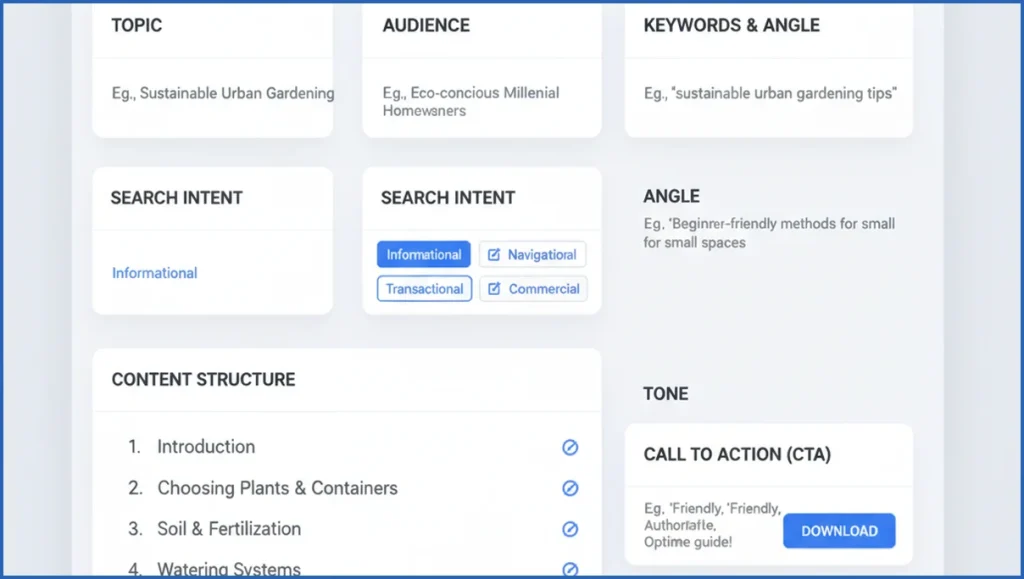
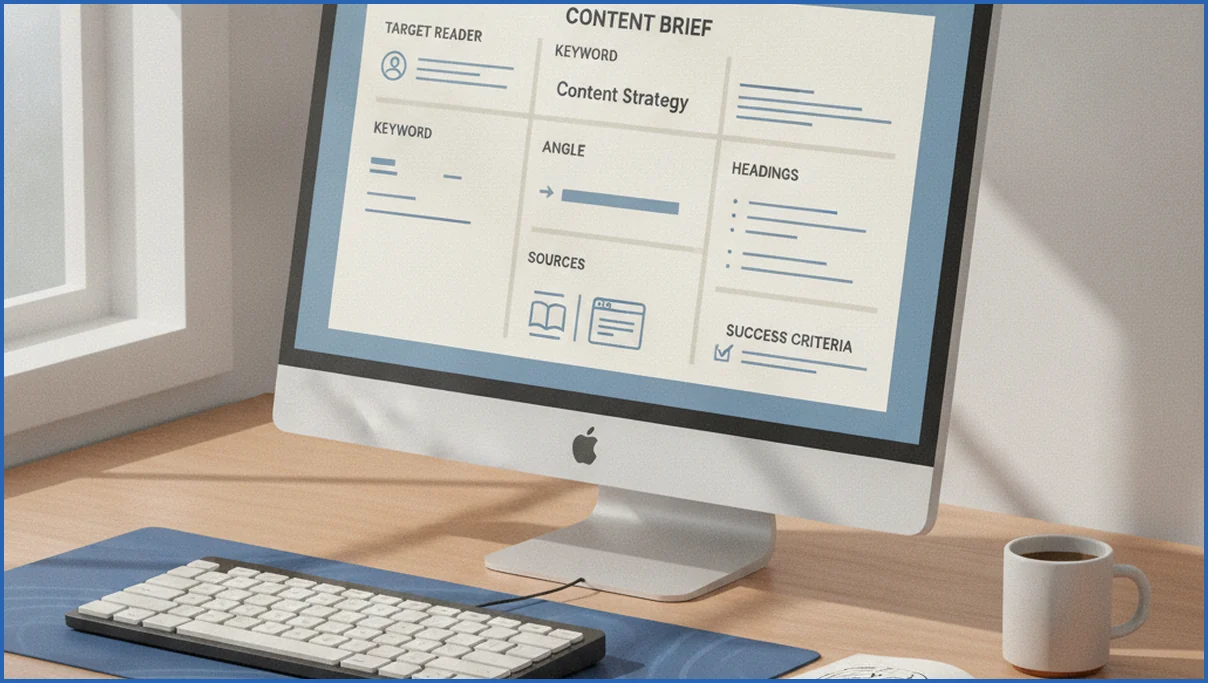
A strong template should be short enough to use every time and detailed enough to guide a writer. Start with the basics: primary keyword, secondary terms, target audience, search intent, article type, funnel stage, and the one-sentence angle. Add a working title, desired CTA, and business goal such as demo signups or assisted conversions.
Next, add editorial direction. Include required headings, questions to answer, product mentions, source rules, internal links, tone notes, and success criteria. For SEO content, define what the page must do better than current results. For example, “explain setup steps in under 700 words” is clearer than “make it actionable.”
Useful fields often include: top competing pages, gaps to beat, entities to mention, examples to include, and what to avoid. If you use Claude with data tools, you can pull query patterns from the Google Search Console MCP endpoint and add real impressions or position ranges directly into the brief.
How to Build the Brief Step by Step
Start with a topic and a business outcome. Then collect search evidence before you ask AI to write anything. Pull top queries, landing page data, and related questions. Review the live SERP manually, because intent shifts fast. A good example is a post ranking in positions 8 to 12 for 47 queries. That usually needs a sharper angle, not a total rewrite.
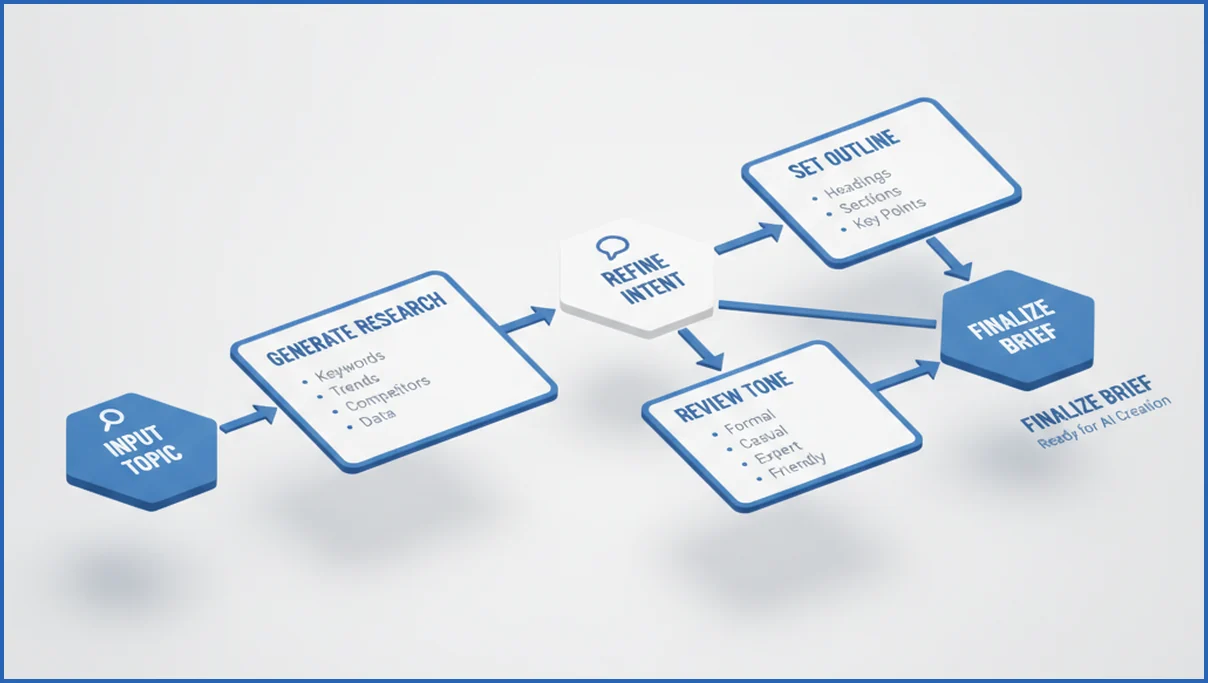
Then follow a simple workflow:
- Define the page type and primary keyword.
- Review top ranking pages and note missing angles.
- Pull first-party data from GSC or GA4.
- Ask AI to draft the brief using your fixed template.
- Edit the output for product truth, tone, and priority.
One practical stack is Claude plus MCP servers for Claude. You can pull search data, summarize query clusters, and draft the brief in one flow. That works especially well if you already use a documented brief automation workflow in Claude Code.
Prompt Formula for Better Brief Outputs
Most bad AI briefs come from underspecified prompts. Give the model a role, a goal, a format, and constraints. Include the audience, keyword set, target page type, tone, must-cover points, internal links, and what the draft should avoid. That one change improves consistency fast.
Use a structure like this:
You are an SEO strategist.
Create a content brief for [topic].
Primary keyword: [keyword]
Audience: [persona]
Search intent: [intent]
Goal: [traffic/demo leads/signups]
Include: title, angle, outline, FAQs, internal links, CTA, sources, risks.
Avoid: generic advice, unsupported claims, filler.
Output in a scannable brief format.
For larger teams, save this as a system prompt and keep the variable fields in a form. That turns briefing into an operating procedure, not a one-off prompt experiment.
Example AI Content Brief Template
Here is a simple version you can adapt for a blog post:
Topic:
Primary keyword:
Secondary keywords:
Audience:
Search intent:
Funnel stage:
Unique angle:
Main promise:
Suggested title:
Required H2s:
Questions to answer:
Internal links:
Product mentions:
Sources or proof:
Tone notes:
CTA:
Success criteria:
Filled example for this topic: Primary keyword: ai content brief template. Audience: in-house SEO manager. Intent: informational with commercial investigation. Angle: show a practical template plus workflow. Success criteria: brief supports a 1,500-word draft with one clear CTA and at least three internal links.
If you want stronger results, add a “SERP gap” field and a “first-party insight” field. Those two lines often create the difference between a page that blends in and one that earns links, shares, or assisted conversions.
Common Mistakes to Avoid
The first mistake is asking AI to brief a topic before you define intent. That leads to average outlines built from surface-level SERP summaries. Another common issue is overstuffing the brief with 20 secondary keywords. Writers then chase coverage instead of clarity.
Many teams also skip business context. If the brief does not say who the page is for, what conversion matters, and what product truth to include, the draft will stay generic. AI is fast, but it does not know your edge unless you state it plainly.
Frequently Asked Questions
What is an AI content brief template?
An AI content brief template is a fixed structure you use to guide AI when creating article briefs. It usually includes keyword targets, audience, intent, angle, outline, tone, and CTA. The template matters because it keeps outputs consistent across writers and topics. Think of it as the operating system for briefing, not just a prompt.
How does AI improve content briefing?
AI speeds up the parts that usually slow teams down: SERP summarization, keyword grouping, headline ideas, outline drafts, and FAQ suggestions. That saves time, but only if a human still checks intent and business fit. The useful gain is not full automation. It is getting to a solid first draft of the brief in 10 minutes instead of 45.
What fields should a content brief include?
At minimum, include primary keyword, audience, search intent, content type, angle, required sections, tone, and CTA. Strong briefs also list internal links, source requirements, must-cover questions, product mentions, and success criteria. If the content supports revenue, include the funnel stage and conversion goal. Those fields help writers make trade-offs without waiting for approvals.
Can AI write the entire brief for me?
Yes, but you probably should not publish the output unchanged. AI can produce a full draft brief quickly, especially for straightforward informational topics. The weak spot is judgment. It may miss brand nuance, current product limits, or subtle intent differences in the SERP. Let AI create version one, then edit for accuracy, angle, and commercial fit.
How do I tailor a brief for SEO content?
Start with the query set and the ranking landscape. Then define why your page should exist instead of the ten already ranking. Add internal links, entities to mention, required questions, and a measurable success goal. If you cover AI-era visibility too, align the brief with AI search optimization patterns such as concise answers and source clarity.
What is the best prompt for a content brief?
The best prompt is specific, structured, and constrained. Tell the model its role, the page goal, the keyword, the audience, the intent, and the output format. Then state what to avoid, such as filler, unsupported claims, or redundant headings. Good prompts reduce editing. Great prompts make outputs comparable across topics, which helps teams scale review.
How detailed should a writer brief be?
Detailed enough to remove guessing, but not so detailed that the writer cannot think. For most SEO blog posts, one page of structured inputs is enough. That usually means 12 to 15 fields plus a suggested outline. If a brief reaches 1,500 words before the article starts, it often signals unclear strategy rather than useful depth.
Your next step is simple. Take one post that needed heavy revisions last quarter, rebuild its brief with this template, and compare the draft quality. If the output still feels generic, the problem is rarely the model. It is usually missing context in the brief.

