
Last updated: September 2026
Programmatic SEO Tools: A Practical Comparison for Teams starts with one hard truth. The best stack is the one that protects quality while publishing at scale. A team can launch 3,000 pages in a month and still lose if the data model is messy, the templates overlap, or QA happens too late. Today, tool choice matters more because AI-assisted search rewards clearer answers, stronger structure, and fewer low-value URLs.
TL;DR
- Compare tools by data sources, automation, and publishing workflow.
- Choose based on scale, team size, and content control needs.
- Avoid tools that create thin pages or weak internal linking.
- Use the right stack to launch pages faster with less manual work.
What programmatic SEO tools actually do
Programmatic SEO tools turn structured data into large page sets. That usually means location pages, comparison pages, product filters, or glossary-style content. Unlike standard SEO suites, they do not stop at keyword tracking. They help you import rows, map fields into templates, generate page elements, and publish at scale.
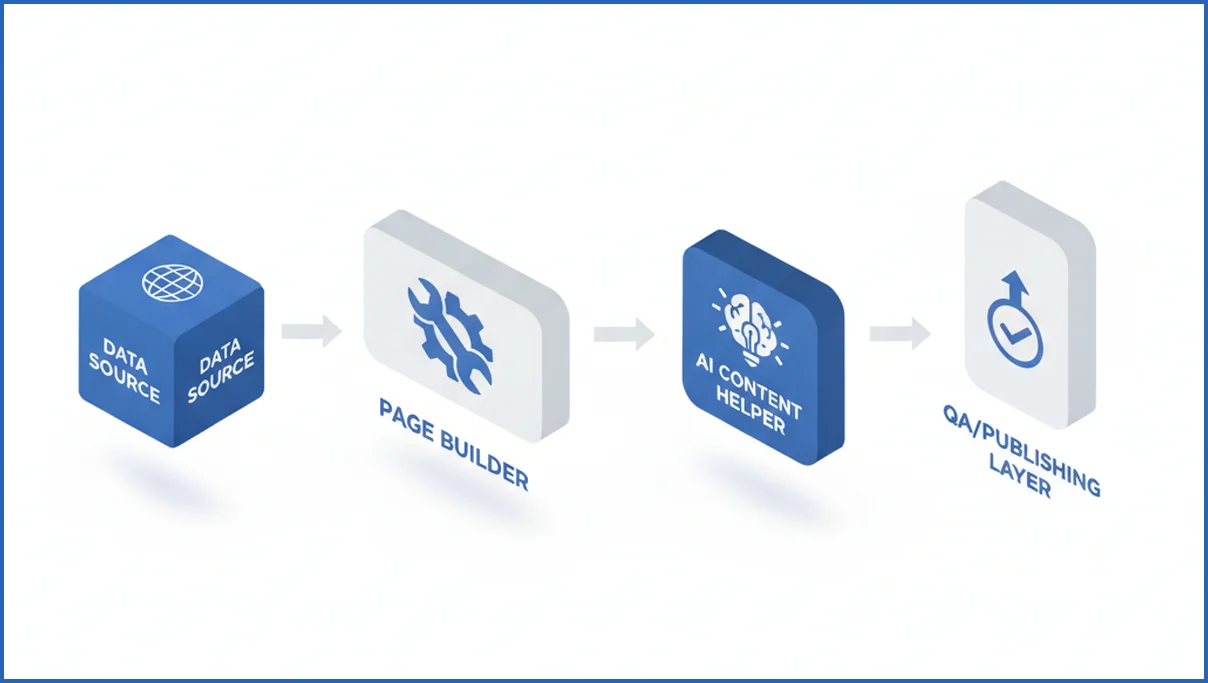
A practical stack often combines three layers. First, a data source such as Airtable, Sheets, BigQuery, or your product database. Second, a templating or generation layer. Third, a publishing and QA layer. If you already use AI in content ops, an AI copy workflow for teams often plugs into the middle layer, not the whole system.
The core job is repeatability with control. You want consistent titles, schema, internal links, canonicals, and noindex rules across hundreds or thousands of URLs. That is why teams who already use SEO automation software often find programmatic tools more operational than analytical.
How to compare tools by workflow, scale, and control
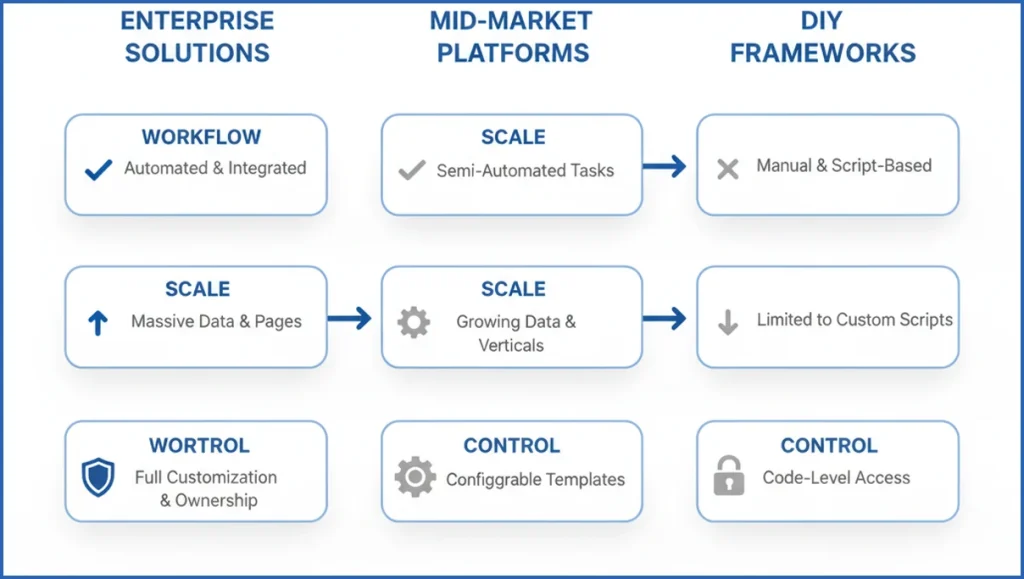
Start with workflow. Ask where the source data lives, who edits templates, and how pages get approved. If a writer needs engineering for every text change, the tool will bottleneck. If anyone can publish without checks, quality will drift fast.
Next, test scale. A tool that handles 300 city pages may break at 30,000 URLs. Look for bulk imports, versioning, API access, and generation queues. One team I worked with pushed 12,400 template pages from a product feed. Their real limit was not AI cost. It was QA and recrawl speed.
Control matters most once traffic arrives. You need custom fields, conditional blocks, redirect logic, and page-level overrides. Teams using the Google Search Console MCP tools can spot which template variants rank in positions 8-12, then adjust intros, links, or entities without rebuilding the whole set.
Best tool categories for different programmatic SEO use cases
Not every use case needs an all-in-one platform. Data-heavy projects need strong ingestion and joins. Editorial projects need better templating and approval flow. Ecommerce teams often care more about feed cleanup, faceted pages, and publishing rules. That is why AI-assisted ecommerce SEO workflows tend to favor modular stacks.
Here is a simple split. Use databases or spreadsheets for source management. Use template builders or CMS extensions for page creation. Use AI helpers for summaries, FAQs, and variant text. Use crawlers, GSC, and analytics for QA. When teams merge all four jobs into one weak tool, they usually lose either publishing control or data accuracy.
A small example helps. A travel site with 4,800 route pages might use BigQuery for fares, a headless CMS for templates, an LLM for route intros, and Screaming Frog plus GA4 for QA. If you want analytics stitched into that loop, the GA4 MCP layer is useful because it exposes landing page performance inside the same decision flow.
Feature comparison: data import, templating, and QA
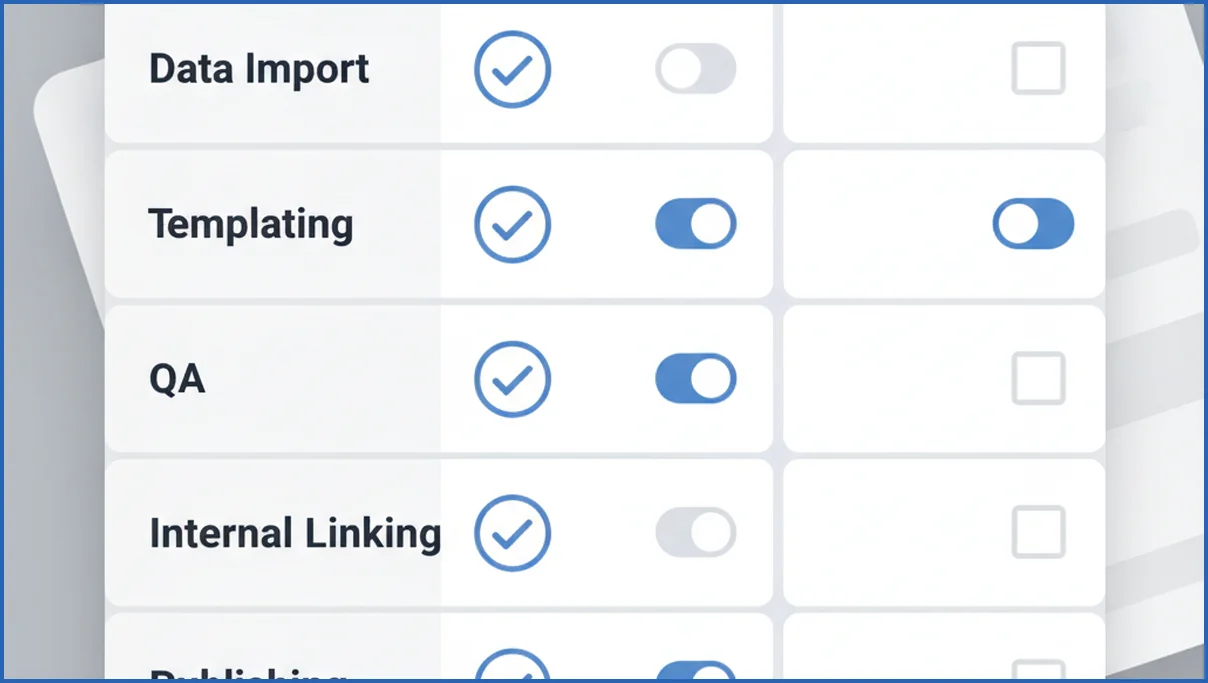
The highest-impact features are boring. CSV and API imports. Field validation. Conditional templates. Bulk preview. Duplicate detection. Internal link rules. Scheduled republishes. These features save more time than flashy one-click generation.
| Feature | All-in-one platform | CMS plus scripts | Verdict |
|---|---|---|---|
| Data import | Easy to start | More flexible | Scripts win at scale |
| Templating | Fast for simple pages | Better custom logic | CMS stack wins for control |
| QA | Basic checks | Depends on your setup | All-in-one is better out of the box |
| Publishing | Quick launch | Needs engineering help | Platform wins early |
If you need a simple evaluation process, score each tool from 1-5 on import, template logic, QA, internal linking, and publishing. Then test one page set of 100 URLs. Teams that already understand keyword clustering workflows usually see fast whether a tool can support real page variants or just spin text.
When AI helps and when it hurts programmatic SEO
AI helps when the structure already exists. It can write short intros, summarize attributes, create FAQ variants, and flag missing fields. It is also good at enriching sparse datasets. For example, it can turn 20 product specs into a readable summary in seconds.
AI hurts when teams ask it to invent value. If every page has the same skeleton and vague text, Google will treat the set as low-value. This risk is sharper now that search behavior keeps shifting around AI answers and answer-first SERPs. Answer engine optimization and programmatic SEO now overlap, but they are not the same thing.
How to choose the right stack for your team
Use a simple buying process.
- List the page type, data source, and target URL count.
- Decide who owns templates, QA, and publishing.
- Run a 50-100 URL pilot with real data.
- Check indexation, CTR, edits per page, and update speed after two weeks.
Small teams should bias toward fewer moving parts. A founder-led site may do well with Sheets, a CMS plugin, and a light AI layer. Bigger teams usually need APIs, version control, and analytics in the loop. If your stack decision still feels fuzzy, a practical SEO consultation is often cheaper than six weeks spent rebuilding the wrong workflow.
Common failure modes: duplicates, crawl waste, and index bloat
Most programmatic SEO failures start before content generation. The root issue is usually weak page logic. Teams create pages for every keyword, location, tag, and filter combination, then publish thousands of URLs with near-identical copy. Search engines see little differentiation, and crawl budget gets spent on pages that never had a strong ranking case. On a 20,000-URL rollout, even a 15% duplication rate can create major waste.
Duplicates are not always exact copies. They often appear as close variants with the same search intent. Think “best CRM for freelancers” and “top CRM for freelancers.” If both templates pull the same Airtable row and the same three content blocks, one should likely win and the other should redirect, canonicalize, or stay unpublished. Good tooling helps, but the bigger fix is better clustering, entity mapping, and template rules. Keyword clustering is often the step that prevents bad page creation upstream.
Index bloat usually follows crawl waste. Pages get discovered through sitemaps, faceted links, or internal search results, but offer no unique value. Keep low-signal combinations out of your index. Use noindex for thin utility pages, canonical tags for close variants, and QA checks before publishing. Many teams also set hard thresholds, such as a minimum of five unique data fields and one custom paragraph per page, before a URL can go live.
How Google AI Mode changes programmatic SEO playbooks
Google AI Mode shifts programmatic SEO from page volume to answer usefulness. Teams can still publish at scale, but every template now needs stronger entity signals, clearer sourcing, and tighter intent matching. Google has said AI experiences aim to help with more complex, multi-part queries, which raises the bar for shallow landing pages (Google I/O 2025). If your pages only swap keywords into the same copy block, they are easier to ignore.
The practical change is this: build fewer page types, and make each one richer. Add original attributes from your dataset, comparison angles, and clear navigation paths. Pages that support follow-up exploration may perform better than pages built only for a single exact-match term. This is also why teams are pairing templated publishing with query and engagement analysis from tools like Google Search Console MCP to see which clusters earn impressions but fail to drive clicks.
- Prioritize page templates that answer a real question with structured, unique fields.
- Consolidate overlapping keyword variants into stronger hubs and comparison pages.
- Track impression growth, citation patterns, and assisted conversions, not only rankings.
Frequently Asked Questions
What are programmatic SEO tools used for?
They are used to create and manage large groups of pages from structured data. Common examples include city pages, product comparison pages, marketplace listings, and glossary content. The tool handles repeatable page logic, imports data fields, and often supports bulk updates. The goal is not just scale. It is publishing many useful pages without editing each one by hand.
Which features matter most in programmatic SEO software?
Look first at data import options, template logic, QA checks, and publishing controls. If the tool cannot validate fields, preview pages in bulk, or handle conditional sections, you will hit limits quickly. Internal linking rules also matter more than many buyers expect. A large page set with weak linking often gets indexed slowly and performs below its potential.
Do I need coding skills to use these tools?
No, but some technical comfort helps. Many teams can launch small projects with spreadsheets and a CMS extension. Once you need API imports, custom logic, or headless publishing, developer support becomes useful. The key question is not whether code is required. It is whether your team can maintain the workflow after launch without turning every change into a ticket.
Can AI-generated pages rank well at scale?
Yes, but only when the page has unique value beyond the generated copy. Good pages combine structured data, useful filtering, relevant internal links, and specific context. AI can help write supporting text, yet it rarely fixes a weak page concept. If 2,000 pages say almost the same thing, scale will magnify the problem rather than hide it.
How do I avoid thin content with programmatic SEO?
Start by choosing a page type that solves a real query pattern. Then add original data, comparisons, filters, examples, or local context that changes meaningfully by page. Set minimum field requirements before publishing. Many teams also hold back weak URLs with noindex until they pass a quality threshold. Thin content is often a planning issue, not a writing issue.
What is the best tool type for a small team?
Usually, a simple stack wins. Use a spreadsheet or database as the source, a CMS-friendly template layer, and one QA method you will actually run every week. Small teams often get more from clarity than from feature depth. An all-in-one tool can work well early, especially if it reduces setup time and gives non-technical users safe publishing controls.
Your next step is not to buy a tool. Pick one page set, define the source data, and run a 100-URL pilot. If you cannot explain the QA rules before launch, the stack is not ready.
How does Google AI Mode affect programmatic SEO pages?
Google AI Mode makes weak template pages easier to overlook. Programmatic pages need clearer intent coverage, stronger data, and more unique value per URL. Pages with original attributes, comparisons, and useful follow-up links have a better chance to stay visible. For a broader view of answer-first search behavior, see Google AI Mode explained.
Next steps for choosing the right setup
The strongest programmatic SEO stack is not always the most technical one. It is the setup that matches your data quality, publishing workflow, and review capacity. If Google AI Mode is pushing your team to rethink scale, focus first on template quality, clustering, and measurement. For a wider strategy lens, SEO strategy in 2026 offers a useful next read.

