
Last updated: July 2026
Google Ads MCP Setup: A Practical Playbook for Teams starts with one real question: how do you let AI help in Ads without giving it unchecked account access? MCP gives teams a cleaner answer. Instead of relying on copy-paste analysis or browser automation, you connect Claude or another client to approved tools with defined permissions. If you want the broader framework behind that model, see our guide to marketing agents in 2026 for where this is heading.
TL;DR
- Set up Google Ads MCP with a clean, repeatable workflow.
- Choose the right auth, hosting, and deployment path first.
- Map tools and permissions before connecting any client.
- Validate requests early to avoid broken runs and wasted time.
What Google Ads MCP is and why it matters
Google Ads MCP is a Model Context Protocol server that exposes Google Ads functions to an AI client through defined tools. Instead of pasting screenshots into a chat, your client can request campaign data, search term reports, or draft changes in a structured way. That cuts context loss and makes logs easier to review.
Teams use it for safer operations. You can separate read-only tools from write actions, limit account scope, and inspect prompts before execution. A paid media lead might allow budget pacing checks every morning, but block campaign edits unless a human approves them.
It also fits wider measurement stacks. If you already use a GA4 MCP endpoint or a Search Console MCP setup, Google Ads MCP becomes one more governed source in the same loop.
Prerequisites before you start setup
Start with the account layer. You need a Google Ads account, API access, and the right user role on the target customer ID. Many failed setups come from one mismatch here, not from code. Decide early whether you will use a manager account or connect directly to each client account.
Next, choose your runtime and secret storage. Local Node or Python is fine for validation, but teams should plan environment variables, a secret manager, and separate dev and prod configs. If your stack already standardizes MCP services, review your existing MCP server pattern first.
Step-by-step Google Ads MCP setup workflow
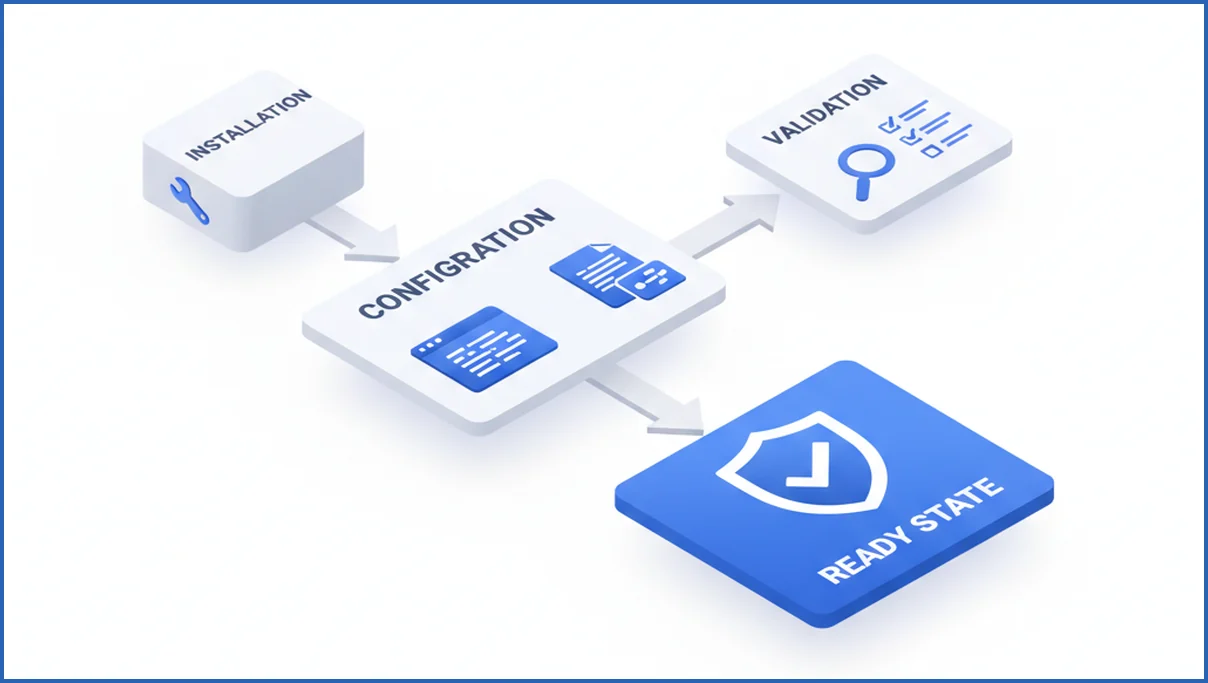
Use a simple sequence and do not skip validation. First, install the server package or clone the repository. Then create a config file with customer IDs, auth method, allowed tools, and logging settings.
After that, load credentials through environment variables. A minimal pattern often looks like this:
export GOOGLE_ADS_DEVELOPER_TOKEN="xxx"
export GOOGLE_ADS_CLIENT_ID="xxx"
export GOOGLE_ADS_CLIENT_SECRET="xxx"
export GOOGLE_ADS_REFRESH_TOKEN="xxx"
export GOOGLE_ADS_LOGIN_CUSTOMER_ID="1234567890"
Run the server locally and test one read-only tool first, such as list_campaigns or get_campaign_metrics. A good first check is a seven-day query for one account with known spend. If the server returns structured JSON and sane dates, move on. If not, stop and fix auth before touching client integration.
One practical workflow is to pair MCP setup with a dry-run prompt library. Your team keeps five test prompts, one for campaigns, one for ad groups, one for search terms, one for budgets, and one invalid request. That catches schema issues early, similar to how teams validate structured analysis workflows in Search Console.
How to connect a client and test the tool loop
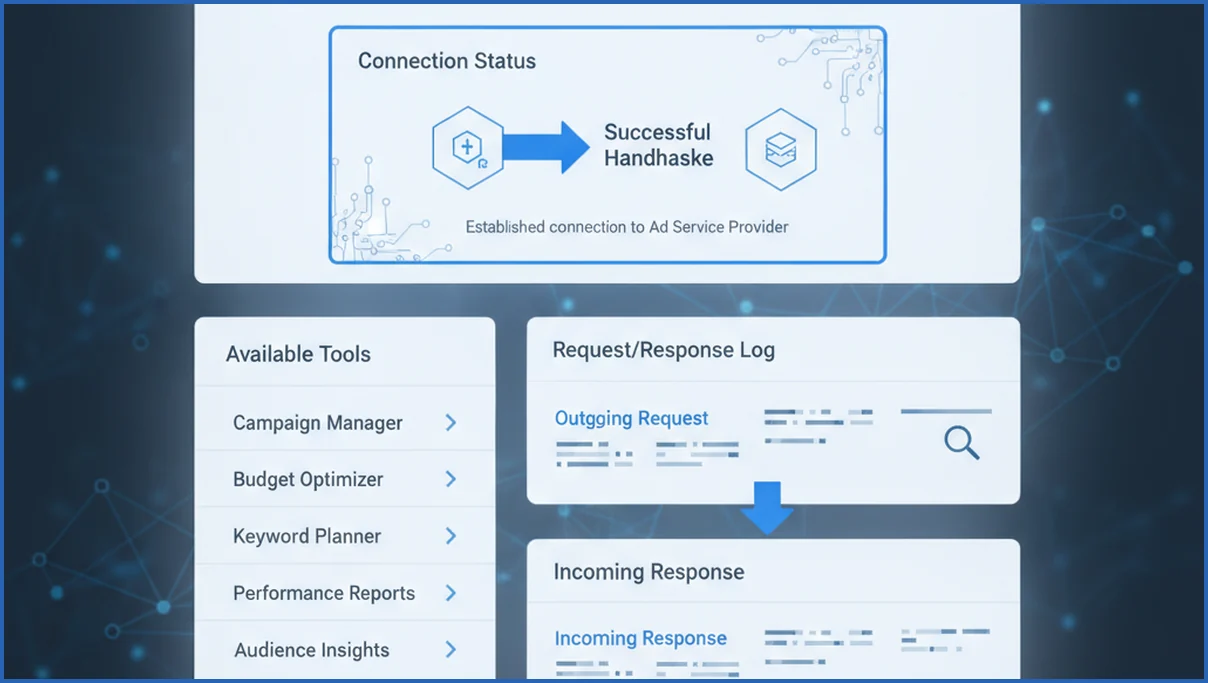
Once the server runs, connect your MCP client and confirm it can see the tool manifest. The client should list available tools, required inputs, and any permission notes. If the tool list is empty, the issue is usually transport config, not Google Ads.
Use one small test loop. Ask the client to fetch campaigns for a single customer ID, summarize status, and return the raw tool response. You want proof of three things: the handshake works, the tool executes, and the client interprets the result without inventing fields.
- Connect the client to the local or hosted MCP endpoint.
- List tools and confirm expected names appear.
- Run one read-only request with a known account.
- Check logs for parameters, latency, and response shape.
Deploying Google Ads MCP for a team
For team use, host the server in one managed environment and keep local installs for development only. A shared deployment gives you central logs, one config baseline, and fewer version mismatches. Split environments by purpose, such as sandbox, staging, and production.
Access policy matters more than hosting choice. Keep analysts on read-only tools, reserve mutation tools for approved operators, and log every request with account ID and prompt context. If you are building broader agent workflows, marketing agent design choices matter less than basic access discipline.
Common setup mistakes and how to fix them
The most common failure is bad auth. Refresh token expired, wrong login customer ID, or missing developer token approval will all break valid-looking setups. Check each credential independently before blaming the MCP layer.
Another frequent issue is tool overreach. Teams expose write actions too early, then spend time debugging prompts that should never have executed. Start read-only, confirm stable outputs, then add narrow write tools with explicit schemas.
Config mismatches also waste hours. One file points to a test account, another uses production secrets, and the client calls the wrong endpoint. Version your config, name environments clearly, and document the expected tool list near the repo. If you are planning rollout, keep an eye on the Google Ads MCP product page for implementation direction.
Best practices for secure, reliable usage
Use least-privilege permissions, short prompt scopes, and mandatory logging. Every production request should record tool name, account, parameters, and result status. That gives you a usable audit trail when an analyst asks why spend numbers changed.
Keep prompts separate from credentials and pin server versions. Test changes against a fixed set of known accounts before release. Reliable MCP operations look boring by design, which is exactly what you want in ad accounts tied to live budget.
What’s new in the latest MCP ecosystem for ads teams
The MCP ecosystem is moving from technical demos toward team-ready operations. The big shift is standardization. More clients now understand shared tool patterns, and more server builders are designing around explicit schemas, prompts, and permission boundaries. For ads teams, that matters because campaign analysis often spans multiple systems, not just Google Ads. A useful setup may combine ad performance, analytics, and documentation tools in one client session.
Another change is that teams increasingly expect read-first workflows. In many cases, the first production use is not autonomous bid changes. It is safer work like budget checks, anomaly summaries, asset inventories, and change-log reviews. That pattern fits paid media governance better because analysts can validate outputs before publishing actions. We also see more interest in connecting adjacent sources such as GA4 for landing page and conversion context, which is why a resource like GA4 MCP for Claude can complement ads-side analysis.
Client support is also improving. Anthropic’s recent product updates have made Claude a more practical MCP environment for non-developers, while custom clients still give engineering teams tighter control. The result is a broader adoption path. Smaller teams can start with packaged tooling, and larger organizations can layer authentication, logging, and approval steps around the same MCP concepts. That flexibility is why MCP is becoming more relevant for paid media operations in 2026.
How Claude’s newest MCP support changes Google Ads workflows
Claude’s newer MCP support makes Google Ads work feel less like one-off prompting and more like a governed operating layer. Teams can connect Claude to approved tools, inspect campaign structure, and request repeatable actions through a defined interface instead of pasting exports into chat. Anthropic’s MCP documentation positions this model around clear tool schemas, user control, and safer external actions (per Anthropic docs).
For paid media teams, that changes the day-to-day workflow. A strategist can ask Claude to review search term patterns, compare ad group performance, or summarize budget pacing from MCP tools, then draft a recommendation before anyone makes edits. That shortens analysis cycles while preserving approval steps. If your team is still learning the model context protocol itself, this MCP server overview helps frame how clients, servers, and tools fit together.
- More structured access to metrics, entities, and approved actions through tool calls
- Better consistency for recurring audits, QA checks, and optimization summaries
- Stronger guardrails because humans can review outputs before production changes
Frequently Asked Questions
What can Google Ads MCP do for advertisers?
It can expose campaign data, ad group details, search term insights, budget pacing, and other account functions to an AI client through structured tools. The practical benefit is control. Instead of asking a model to guess from exports, you let it call approved functions with known inputs and logged outputs. That helps with reporting, audits, and limited workflow automation.
Do I need Google Cloud to use Google Ads MCP?
Not always. You can often run a Google Ads MCP server locally for development if you already have API credentials and the required runtime. Google Cloud becomes useful when you want hosted deployment, team access, secret management, and cleaner environment separation. Small teams usually start local, validate the tool loop, then move to managed hosting once usage is stable.
How do I know my MCP client is connected correctly?
Check for three signals. First, the client should display the server and list its available tools. Second, one simple read-only request should return valid structured output for a known account. Third, the server logs should show the exact request and response cycle. If any one of those is missing, the connection is not production-ready yet.
What permissions are required for Google Ads MCP?
You need enough Google Ads access for the account actions you plan to expose, plus valid API credentials tied to that access model. Read-only reporting needs far less risk than campaign edits. Keep user roles narrow, confirm the correct customer and manager relationships, and avoid giving every analyst write access just because the server supports it.
Can I run Google Ads MCP locally first?
Yes, and you should. Local setup is the fastest way to test credentials, config shape, and tool responses before introducing team-level complexity. Use a non-critical account if possible, run only read-only tools at first, and keep a short set of known-good test prompts. Once those pass consistently, move the same config pattern into staging.
How do I troubleshoot authentication failures?
Start by isolating each credential. Verify the developer token, client ID, client secret, refresh token, and login customer ID one by one. Then confirm the user behind the token still has access to the target account. After that, inspect server logs for the exact auth error. Most failures come from expired tokens, wrong manager IDs, or mismatched environments.
Is Google Ads MCP suitable for team workflows?
Yes, if you treat it like shared infrastructure instead of a personal script. Teams benefit from central logs, fixed environments, version control, and permission layers that separate analysts from operators. The weak point is governance, not the protocol. If your prompt, approval, and rollback process is vague, the setup will feel fragile no matter where you host it.
Your next move is simple. Set up one read-only Google Ads MCP environment, connect one client, and validate five known requests before adding any write action. If that first loop feels messy, fix the process now. Production only magnifies small setup mistakes.
Can Claude use Google Ads MCP for campaign optimization workflows?
Yes, Claude can support campaign optimization workflows through Google Ads MCP when the server exposes the right read or action tools. In practice, it works best for analysis, prioritization, and draft recommendations first. Teams can ask Claude to surface weak ad groups, budget shifts, or search term issues, then require human approval before changes. That keeps optimization faster without removing account controls.
Next steps for a safer Google Ads MCP rollout
The best Google Ads MCP setups usually begin with read-only analysis, clear approval rules, and one client your team can support well. From there, expand into repeatable optimization workflows once logging and permissions are stable. If you want product updates around this space, keep an eye on Google Ads MCP updates as the tooling matures.