
Last updated: June 2026
An AI SEO audit should do more than dump issues into a spreadsheet. It should connect crawl problems, weak pages, internal link gaps, and AI-search visibility into one working system. Claude Code is useful here because it can read exports, compare patterns, and draft next actions fast. The real win is consistency. You can run the same logic every month instead of reinventing the audit each time.
TL;DR
- Use Claude Code to automate a faster AI SEO audit.
- Check technical issues, content gaps, and AI-search readiness.
- Turn findings into prioritized fixes, not just reports.
- Repeat the workflow to track progress over time.
What an AI SEO Audit Should Actually Cover
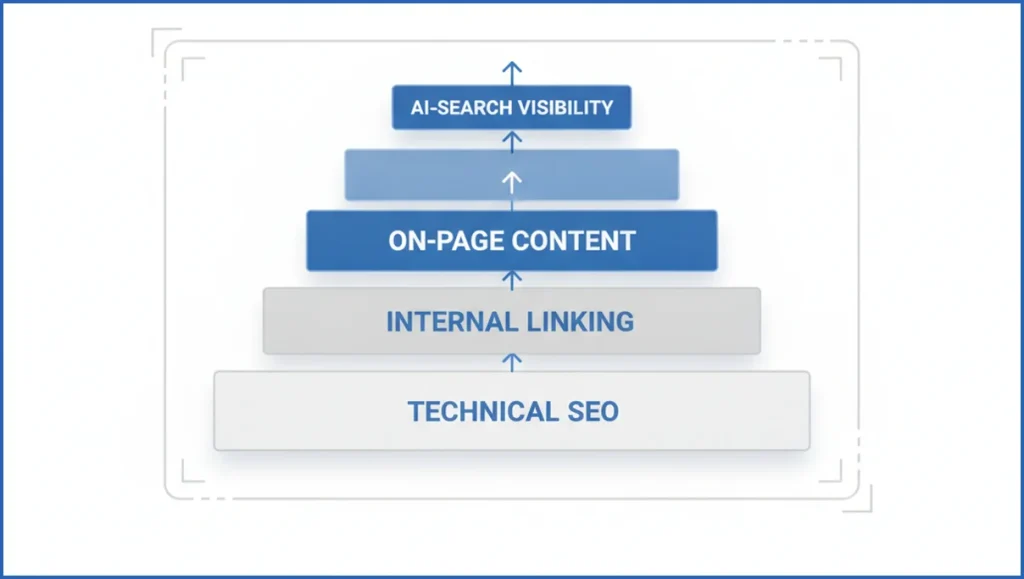
A solid ai seo audit covers five areas. Check technical health, on-page signals, content structure, internal links, and AI-search visibility. If you only scan title tags, you miss the real blockers. A page can rank in position 9 for 47 queries and still fail because it loads slowly, answers vaguely, or has no supporting links.
AI-search visibility adds a newer layer. Review whether pages answer directly, use clear headings, expose entities, and show first-hand evidence. That overlaps with answer engine optimization and with the shift described in Google AI Mode behavior. The audit should ask one blunt question. Can a model quote this page confidently?
Set Up Claude Code for a Repeatable Audit Workflow
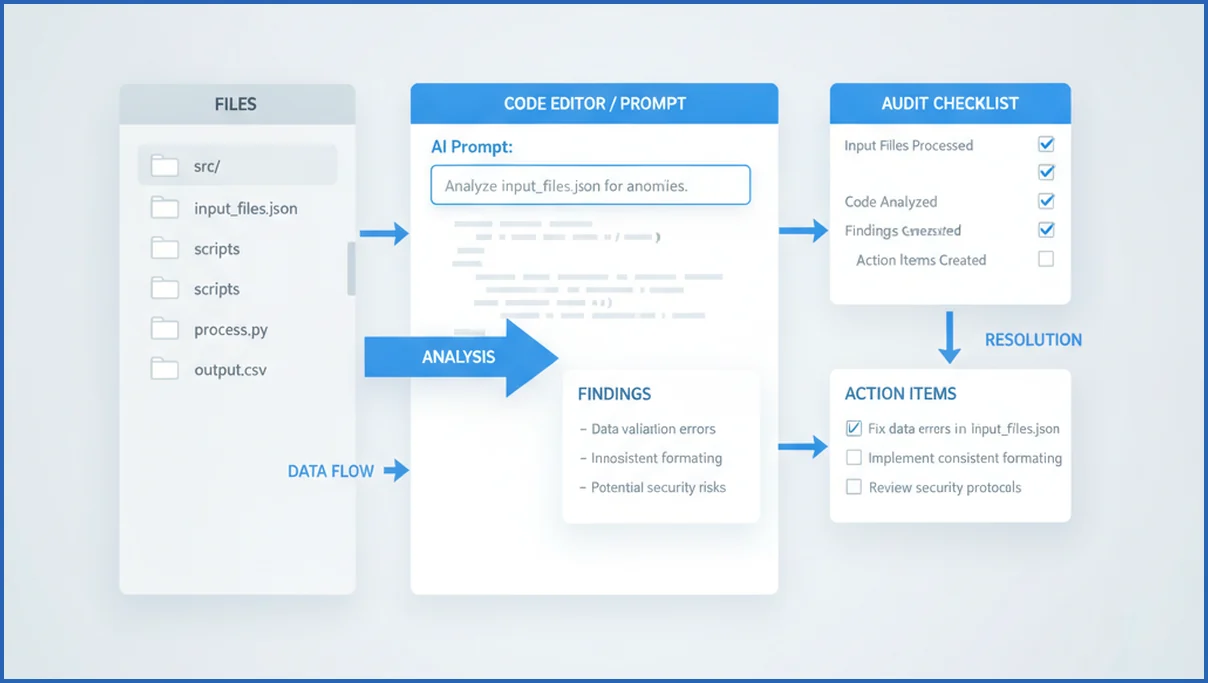
Start with a small input pack. Use a crawl export, Google Search Console pages and queries, top landing pages from GA4, robots.txt, sitemap.xml, and 10 to 20 priority URLs. If you use the Search Console MCP tools, Claude can inspect live performance instead of stale CSVs. Keep filenames predictable so prompts stay reusable.
Then create one audit prompt template. Ask Claude Code to score each URL on indexability, intent match, content clarity, schema, and internal link support. A simple example works:
Review /pricing/ using crawl.csv, gsc_pages.csv, and page.html.
Output: issues, evidence, severity 1-5, fix suggestion, owner.
Flag weak answer blocks and missing internal links.
That repeatable prompt matters more than fancy setup. It turns Claude Code into a process, not a one-off assistant. If you want a broader stack view, this Claude MCP guide helps frame the moving parts.
Run the Technical Checks First
Technical issues distort every later finding. Check status codes, redirect chains, canonical conflicts, noindex tags, blocked resources, sitemap coverage, Core Web Vitals, and schema validity first. A category page with 1,200 impressions but an incorrect canonical is not a content problem. It is a routing problem.
Use Claude Code to group issues by template. For example, if 186 blog pages share missing self-referencing canonicals, that is one engineering task, not 186 tickets. Pair crawl data with GA4 MCP data so high-traffic breakage gets pushed up the list. This stops teams from spending a week fixing orphaned pages that get no visits.
Audit Content for Search Intent and AI Readiness
Next, audit whether the page satisfies the query fast. Look for a direct answer near the top, useful subheads, original proof, and clean sectioning. A long post can still fail if the first 300 words stall. That is why on-page SEO with AI works best when it sharpens structure, not just wording.
A practical example is a product comparison page. Claude Code can compare the SERP intent, your headings, and missing entities. If rivals mention pricing, integrations, and setup time in the first screen, your page should not hide those details in section six. For AI visibility, concise definitions, tables, and FAQ-style answer blocks make extraction easier.

Use Claude Code to Rank Fixes by Impact
Most audits fail at prioritization. They produce 83 findings and no order. Claude Code should assign each issue an impact score, effort score, and risk note. That lets you separate “fix today” items from “good idea later” items.
- Group issues by template or page type.
- Score impact using impressions, clicks, and revenue proxy pages.
- Mark effort as copy, SEO, design, or engineering.
- Sort the list into now, next, and backlog.
A useful rule is simple. Fix indexation and canonical problems first, then high-impression content gaps, then internal linking. If you need more automation patterns, this SEO automation review gives decent context on where scripted workflows save time.
Turn the Audit Into an Ongoing Monitoring System
The point is not the first audit. The point is rerunning it. Save the prompt, input schema, scoring model, and output format. Then compare month over month changes in indexed pages, impressions, average position, answer-block coverage, and internal link counts.
Many teams run this every 30 days for core templates and every quarter for the full site. If your stack is still forming, the MCP server setup page is a practical place to tighten the workflow. A living audit beats a polished PDF that nobody opens again.
Frequently Asked Questions
What is an AI SEO audit?
An AI SEO audit reviews a site with both classic SEO and AI-search behavior in mind. It checks crawlability, indexation, page quality, internal links, and whether content is easy for models to extract and cite. The difference from a standard audit is the focus on answer structure, entity clarity, and evidence signals, not just rankings and metadata.
How does Claude Code help with SEO audits?
Claude Code helps by reading structured exports, spotting repeated patterns, and turning messy findings into a usable action list. It can compare crawl data with Search Console and page copy faster than a manual pass. It is most useful when you give it clear files, consistent prompts, and a fixed scoring framework instead of broad open-ended instructions.
Can AI replace manual SEO checks?
No. AI speeds up pattern finding and documentation, but human review still matters. You still need someone to judge brand claims, business risk, SERP nuance, and implementation trade-offs. AI might flag a thin page, but a human can tell whether that page supports a sales flow, legal requirement, or product motion that should change the recommendation.
What files should I give Claude Code for an audit?
Start with crawl exports, Search Console queries and pages, GA4 landing page data, sitemap.xml, robots.txt, and HTML snapshots for important URLs. If possible, add internal link exports and schema test results. Keep the files small enough to review in batches by template. That gives Claude Code enough context to find patterns without drowning it in irrelevant site noise.
How do I prioritize SEO fixes after the audit?
Use three inputs. Expected impact, implementation effort, and downside risk. High-impact technical issues usually come first, especially when they affect important templates. After that, fix content gaps on pages that already earn impressions but underperform. Internal linking often sits in the middle because it is low risk and quick to ship, but it rarely matters if indexation is broken.
How often should I run an AI SEO audit?
For most sites, run a light audit monthly and a full audit quarterly. Ecommerce, publishers, and fast-moving SaaS sites may need biweekly checks on critical templates. The right cadence depends on how often your site changes and how much search traffic matters. If developers release often, your audit schedule should match that rhythm instead of waiting for a quarterly surprise.
Your next step is simple. Pick 20 important URLs, assemble the input pack, and run one scored audit in Claude Code. If the output does not produce clear tickets, the problem is your workflow design, not the model.

