Last updated: August 2026
Free AI SEO Tools: The Best Options for Faster Wins now means more than drafting copy. With AI Overviews and AI Mode changing how searchers discover pages, the smartest free stack helps you research, structure, and clarify content for both rankings and citation potential. Tools like Google Search Console, Screaming Frog, ChatGPT, Claude, and Gemini can cover a surprising amount of work when you use each one for a specific job.
TL;DR
- See which free AI SEO tools cover audits, keywords, and content.
- Compare strengths, limits, and best use cases at a glance.
- Build a practical stack without paying for a full suite.
- Use the right tools together for faster SEO decisions.
What Free AI SEO Tools Actually Do
Most free AI SEO tools sit in one of four buckets. They help with keyword discovery, on-page recommendations, technical checks, or content support. A few also connect to first-party data, which matters more than flashy text generation. Tools tied to Search Console often beat generic writers because they show what your site already ranks for.
That is why a small stack works better than a single app. You might use ChatGPT or Claude for ideation, Screaming Frog’s free crawl for audits, and a Search Console MCP workflow for query analysis. If you are building around AI-native reporting, the free MCP servers for Claude are closer to analysis tools than content toys.
Free plans still have clear limits. Expect crawl caps, export restrictions, missing competitor data, and shallow SERP coverage. If you need enterprise reporting, this list is not enough. If you need faster answers on a 50-page site or a growing blog, it usually is.
How We Compared the Best Free Options
We scored tools on five things. First, whether the free plan solves a real SEO job. Second, whether the data is trustworthy enough to act on. Third, how quickly a marketer can get from question to answer. Fourth, whether the tool supports workflows, not one-off prompts. Fifth, how painful the limits become after a week of use.
We also gave extra weight to tools with first-party or crawl-based inputs. Search Console data, GA4 trends, and live page audits beat synthetic suggestions every time. That logic also shows up in this GSC analysis playbook, where the useful output comes from your own query set, not a generic AI guess.
One honest trade-off matters here. Some free AI writing tools feel easier on day one than analytics-connected setups. They lose value fast when you need prioritization. Speed is useful. Wrong priorities are expensive.
Side-by-Side Comparison of Top Free AI SEO Tools
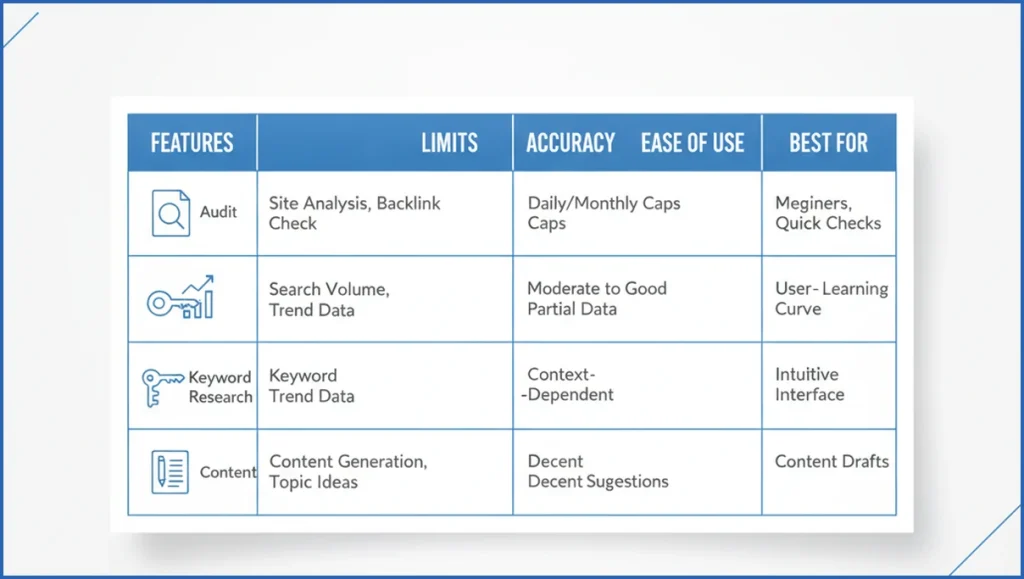
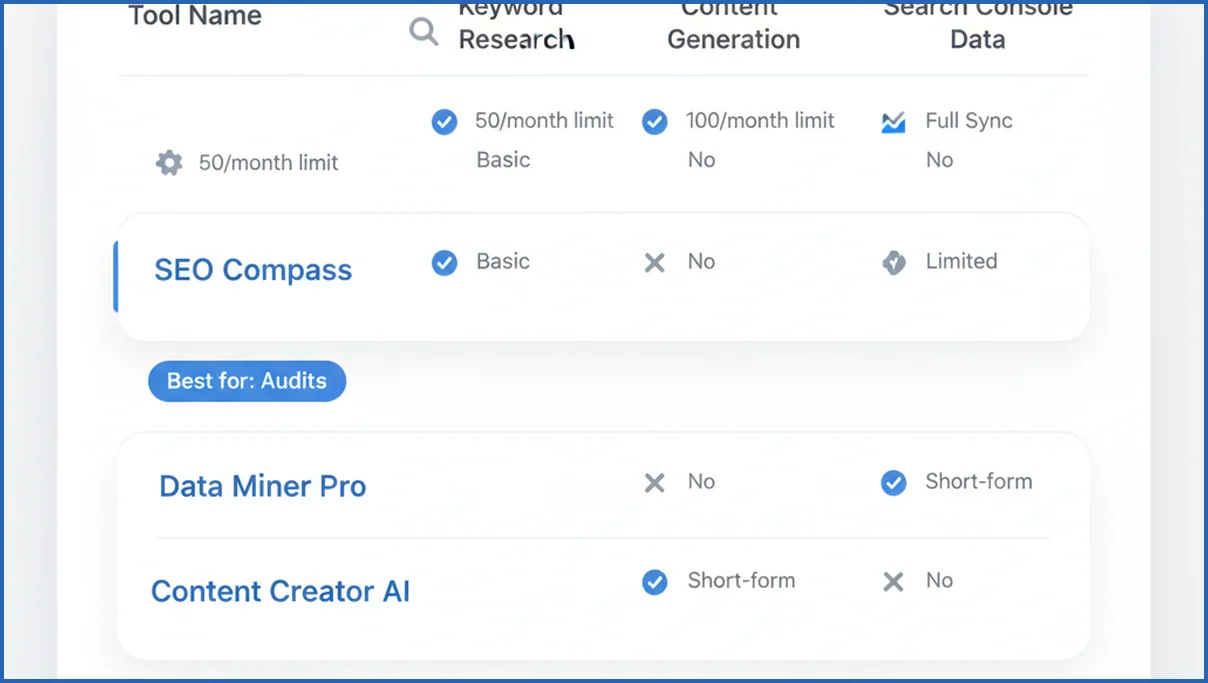
The strongest free options usually win in one lane, not five. Screaming Frog gives you a real crawl, but only up to 500 URLs on the free tier. Google Search Console is unmatched for query and page performance, but it does not explain intent gaps by itself. ChatGPT and Claude are flexible, but only as good as the data you feed them.
For content work, free Surfer and NeuronWriter trials can be useful for a short burst, but they are not dependable long-term free plans. Ahrefs Webmaster Tools is better for site health and backlinks than for AI-assisted writing. Google Gemini can summarize SERPs well, but it still needs guardrails and source checking.
| Feature | Tool A | Tool B | Tool C | Verdict |
|---|---|---|---|---|
| Technical audit | Screaming Frog Free | Ahrefs Webmaster Tools | ChatGPT | Screaming Frog wins for page-level crawl detail. |
| Keyword insight | Google Search Console | Keyword Surfer | Claude | GSC wins if your site already has impressions. |
| Content briefs | Claude | ChatGPT | Gemini | Claude is strongest when fed SERP notes and GSC data. |
| On-page fixes | Yoast Free | Rank Math Free | Claude | Rank Math gives more knobs, Claude gives better rewrites. |
If you want broader context on paid and hybrid stacks, this AI SEO tools breakdown covers where free tools stop being enough. A rival can still be better at one thing. Ahrefs Webmaster Tools, for example, often beats lighter AI apps on backlink visibility and issue reporting.
Best Free Tools by SEO Task
For keyword research, start with Search Console if you already have traffic. It shows terms sitting in positions 8 to 20, which are often the easiest wins. Add Google Autocomplete, People Also Ask, and Keyword Surfer for expansion. For clustering, a keyword clustering workflow in Claude is more useful than dumping 400 terms into a spreadsheet.
For technical SEO, use Screaming Frog Free first. It catches bad titles, redirect chains, thin pages, and broken internal links fast. Ahrefs Webmaster Tools is a good second pass for site health and backlink checks. For on-page work, Rank Math Free or Yoast Free handles basics, while Claude helps rewrite weak headings and intros.
For content briefs, combine the live SERP with AI. Pull the top 10 results, note common subtopics, then ask Claude or ChatGPT to structure a brief. If you want a tighter process, this brief automation approach shows how to turn rough notes into a repeatable template.
What to Watch Out for Before You Commit
Free plans often hide the real constraint in usage caps. A tool may say “free,” then limit you to 10 queries, 1 project, or 500 URLs. That can still be fine if your site is small. It fails fast when you manage multiple properties or need weekly reporting.
Data depth is the second issue. Many AI tools sound smart because they rewrite obvious advice. They do not show source data, historical trends, or page-level evidence. If a recommendation cannot point back to a query, URL, or crawl result, treat it as a draft, not a decision.
A Simple Workflow Using Free AI SEO Tools
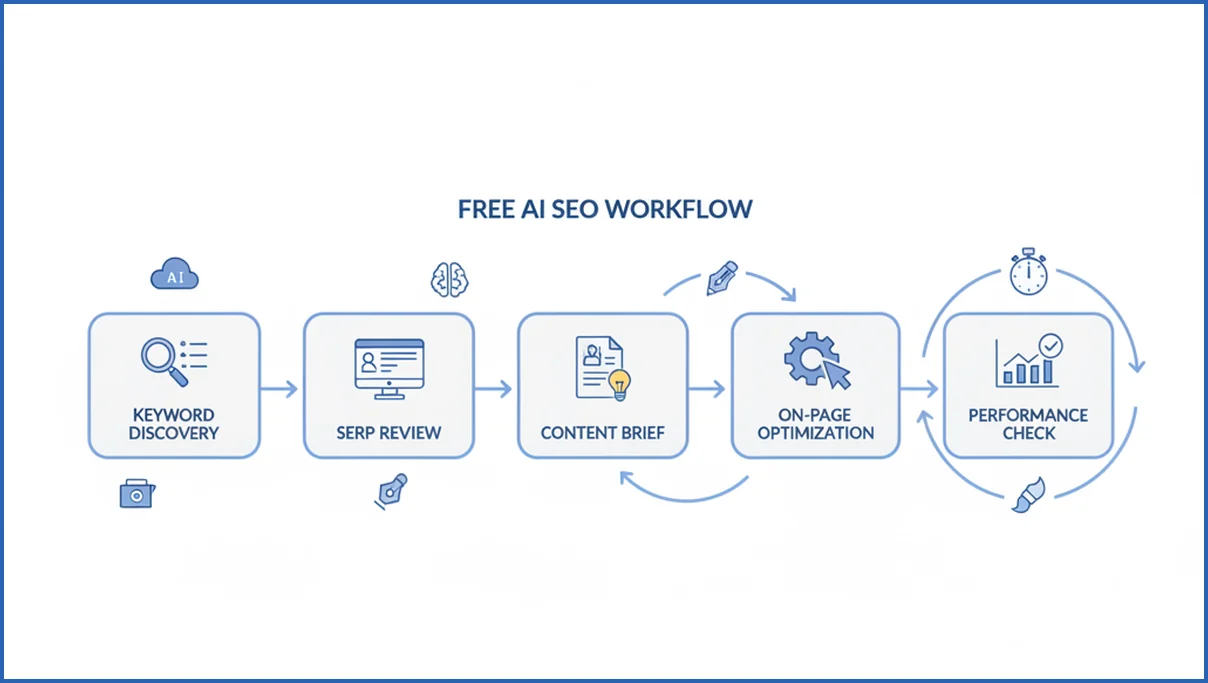
You do not need a giant stack. You need a sequence that turns data into action. A lean setup can move from query discovery to page update in under 45 minutes for one article.
- Pull GSC queries with impressions and average positions 8 to 20.
- Cluster related terms in Claude or ChatGPT.
- Run the target URL through Screaming Frog Free.
- Review the top 5 SERP pages and note missing subtopics.
- Draft new headings and title options with AI.
- Update the page, then check clicks and CTR after 14 to 28 days.
A simple prompt can keep this consistent:
Analyze these GSC queries for one URL.
Group by intent.
Show missing subtopics.
Suggest a revised H1, 5 H2s, and 3 title tags under 60 characters.
That workflow gets stronger when you connect first-party data directly into the model. If you are planning a more durable stack, this Claude MCP guide explains how to move from manual exports to tool-assisted analysis.
Free AI tools for optimizing for AI Overviews and AI Mode
Free tools can help, but they work best in combinations. Google Search Console remains the core source for finding pages that already earn impressions. Those pages often need better extraction-friendly formatting rather than a full rewrite. Pair Search Console with Gemini, Claude, or ChatGPT free plans to summarize intent, identify missing subtopics, and turn dense sections into direct answers. Per Google guidance on helpful content, pages still need original value, not just AI-polished wording.
For topic expansion, use Google Trends, the Search Console performance report, and manual SERP reviews. Look for repeated question patterns in AI Overviews, featured snippets, and People Also Ask boxes. Then use AI to draft concise definitions, pros and cons, comparison tables, and short step lists. Those formats are easier for search systems to parse and cite in many cases. If you want a deeper framework, this AI search optimization playbook connects SEO basics with newer answer-engine behavior.
A practical free stack looks like this: Search Console for opportunity discovery, Google Docs or Sheets for organizing evidence, and one AI assistant for rewriting. Add Screaming Frog’s free version for up to 500 URLs if you need title, heading, and internal link checks. The goal is simple. Make your best pages easier to interpret, easier to quote, and more complete for follow-up questions inside AI Mode.
How AI Mode Changes the Best Free SEO Tool Stack
Google AI Mode shifts the goal for free SEO tools. You are no longer optimizing only for ten blue links. You are also shaping passages, entities, and supporting evidence that AI systems can summarize well. Google has described AI Mode as a more advanced search experience with broader reasoning and follow-up queries, which raises the value of clean source material and direct answers (Google I/O 2025).
That means the best free stack now mixes classic SEO data with AI-assisted analysis. Start with Google Search Console for queries, pages, and click trends. Add Google Trends for topic movement and People Also Ask scraping through tools like AlsoAsked’s free credits or manual SERP checks. Then use ChatGPT, Claude, or Gemini to rewrite weak sections into tighter answer blocks, comparison tables, and definition-first intros. If you want a repeatable workflow, this Google AI Mode explainer adds useful context.
- Prioritize pages with impressions but weak clicks, since AI summaries often reward clearer intros and stronger subheads.
- Turn key sections into quoteable blocks with facts, dates, pricing, steps, and named tools.
- Check whether your page answers follow-up questions, not just the primary keyword.
Frequently Asked Questions
Are free AI SEO tools good enough for small websites?
Yes, often. If your site has fewer than 100 pages and modest traffic, free tools can cover audits, query analysis, and content updates well enough. The biggest gap is usually reporting depth, not basic execution. Small sites benefit most from first-party data and a simple process, not from expensive dashboards they barely use.
Which free AI SEO tools are best for keyword research?
Google Search Console is the strongest starting point because it shows terms your pages already earn impressions for. Keyword Surfer, Google Autocomplete, and People Also Ask help expand ideas. Claude or ChatGPT then helps cluster terms by intent. That mix is better than relying on a single AI writer that invents keyword priorities without evidence.
Can free AI SEO tools help with technical SEO?
Yes, but mostly through crawlers and audits rather than pure text generation. Screaming Frog Free can flag broken links, duplicate titles, and redirect issues on smaller sites. Ahrefs Webmaster Tools adds another health view. AI becomes useful after the audit, when you want help prioritizing fixes or drafting implementation notes for developers.
Do free AI SEO tools work for blog content optimization?
They do, especially for refreshing existing articles. Use Search Console to find pages with impressions but weak CTR or average positions near page one. Then use AI to rewrite titles, tighten intros, add missing subtopics, and improve internal links. The best results come from optimization against real performance data, not from one-shot article generation.
What limits should I expect from free SEO tool plans?
Expect limits on queries, projects, crawl volume, exports, and historical data. Some plans also lock the most useful features behind trials, which can distort your evaluation. Before adopting any tool, test whether it supports your weekly workflow for at least two cycles. A free tool that breaks on week two is not really free.
How many free tools do I need to cover basic SEO?
Usually three or four. One for first-party data, such as Search Console. One crawler, such as Screaming Frog Free. One AI assistant, such as Claude or ChatGPT. Optionally, one browser-based keyword helper like Keyword Surfer. More than that often adds noise unless you manage multiple sites or need backlink monitoring.
Should I use free AI tools instead of paid SEO software?
Use free tools until your bottleneck becomes scale, not curiosity. Paid software makes sense when you need larger crawls, recurring reports, team workflows, or dependable competitor datasets. Before upgrading, map the exact task that fails on free plans. That keeps you from paying for a broad suite when you only need one missing capability.
Start with one URL that already has impressions and weak CTR. Run the workflow, ship the update, and compare performance after a few weeks. If that loop works, expand the stack. If it does not, the issue is probably your process, not the price of the tools.
Can free AI SEO tools help content get cited in AI Overviews?
Yes, but indirectly. Free AI SEO tools can help you tighten definitions, add missing subtopics, and improve formatting for extraction. They can also surface weak pages in Search Console and suggest clearer answer blocks. They do not guarantee citations in AI Overviews. Pages still need original value, strong factual support, and clear structure. For a broader process, see answer engine optimization.
What to use now
The strongest free SEO setup in 2026 is focused, not bloated. Use Search Console for real demand, a free crawler for page issues, and one AI assistant for analysis and rewrites. Then format content so it answers the first question fast and supports the next one clearly. That approach gives you better odds in classic search and in AI-driven results without paying for a large enterprise stack.