
Last updated: September 2026
AI SEO Tools for SaaS: Which Options Fit Each Growth Stage is no longer just a software comparison. SaaS teams now need tools that support visibility across classic rankings, AI summaries, and deeper product research journeys. That shifts buying criteria fast. The best stack is the one that helps you validate demand, structure expert content, and refresh revenue pages without adding process drag. This update focuses on how Google AI Mode changes what matters most.
TL;DR
- Match tools to your SaaS growth stage, not just feature lists.
- Compare keyword research, content, and optimization strengths side by side.
- Use AI where it speeds SEO without hurting brand or accuracy.
- Choose a stack that fits your team size, budget, and workflow.
What SaaS teams need from AI SEO tools
SaaS teams need tools that understand funnels, not just keywords. A startup may need 30 problem-aware topics and five strong comparison pages. A mature company may need refresh workflows across 800 URLs, with performance data from Google Search Console MCP endpoints and GA4 tied back to pipeline.
Good SaaS SEO tools should handle clustering, brief creation, internal links, refresh detection, and SERP analysis. They should also support technical language. If you sell security software or developer tooling, vague copy is expensive. This is why many teams mix a data source, an LLM workflow, and a dedicated optimizer instead of buying one suite that claims to do everything.
How to compare AI SEO tools for SaaS
Start with five criteria: data quality, workflow speed, output quality, integrations, and price. Data quality matters most. A polished interface cannot fix bad query inputs. If a tool cannot show why it suggested a topic, treat the output as a draft, not a decision.
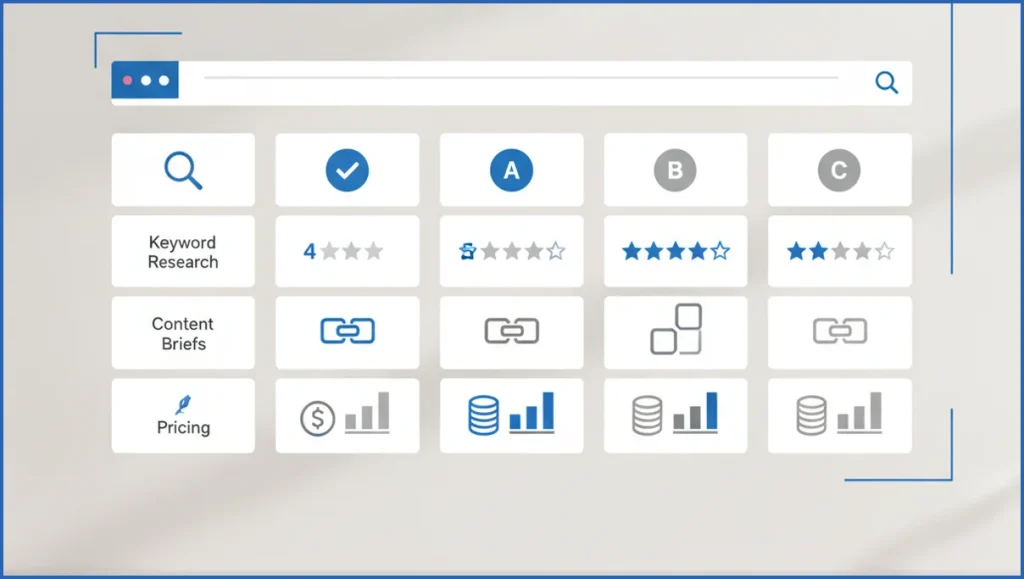
Use a simple scorecard. For example, score each tool from 1 to 5 for keyword discovery, brief depth, on-page suggestions, CMS support, and reporting. If your team already works in Claude, MCP integrations for Claude can beat a bigger suite because the data moves directly into your writing and analysis flow.
| Feature | All-in-one suite | LLM plus MCP stack | Verdict |
|---|---|---|---|
| Keyword research | Usually broader database | Better when paired with first-party data | Suite wins for discovery |
| Content briefs | Consistent templates | More flexible, more specific | LLM stack often wins |
| Integrations | Varies by vendor | Stronger for custom workflows | Stack wins for control |
| Ease of use | Better for small teams | Needs process discipline | Suite wins early |
Best tool categories for each SaaS SEO job
Different jobs need different tools. Keyword discovery needs a database and clustering logic. Brief creation needs SERP extraction and structure. On-page optimization needs page-level recommendations. Refresh work needs performance deltas, usually from a Search Console analysis workflow rather than generic AI scoring.
A practical stack might look like this: Ahrefs or Semrush for market discovery, Claude plus an automated brief workflow for outlines, and an on-page tool for gap checks. For clustering, teams often get better results from custom logic than from a vendor’s default grouping, especially on feature-led SaaS terms.
- Pull queries with impressions, clicks, and average position.
- Group terms by problem, feature, and buyer stage.
- Create one brief per cluster with real competing URLs.
- Draft with AI, then add product proof, screenshots, and claims review.
Cluster: "SOC 2 compliance software"
Primary page: /soc-2-compliance-software/
Support articles: /soc-2-checklist/, /soc-2-vs-iso-27001/
Internal links: product page - checklist - comparison page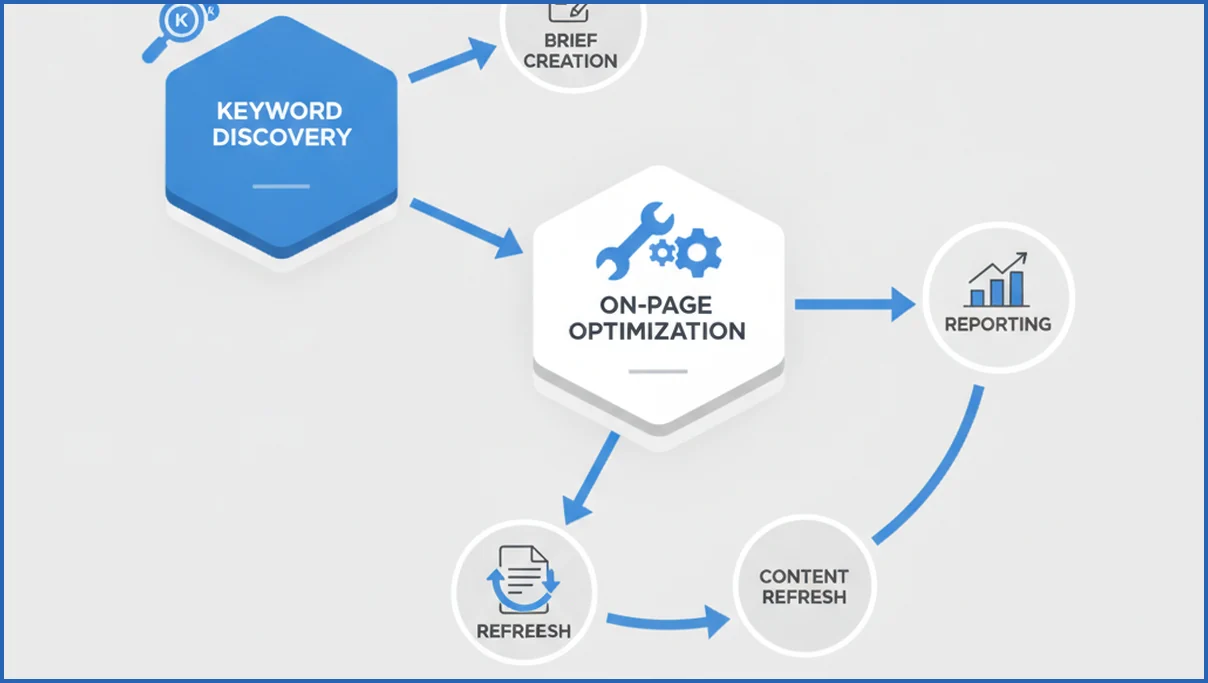
How small, mid-market, and enterprise SaaS teams differ
Small SaaS teams need speed and low overhead. One strong research tool plus an LLM workflow is often enough. Mid-market teams need repeatability. They care more about templates, editorial controls, and refresh queues. Enterprise teams need governance, role access, and cleaner reporting across regions or product lines.
Ownership changes the stack too. If SEO sits with content, ease of use matters more. If SEO sits with growth or product marketing, data access matters more. Teams building custom AI systems should study how MCP servers work before they commit to a stack that blocks first-party integrations.
Pros and tradeoffs of using AI in SaaS SEO
AI saves time on clustering, outlines, gap analysis, and refresh prioritization. That is real value. It also creates risk. Generic claims, stale product details, and weak differentiation can slip into drafts fast. Technical SaaS content suffers most when nobody checks terminology against docs or actual product behavior.
Keep humans in the loop where trust matters. Have subject experts review claims, examples, and screenshots. Use AI to speed decisions, not replace them. If your team is adapting to AI search traffic shifts, this playbook on AI search optimization is a better lens than chasing content volume alone.
Recommended stack selection checklist
Buy the smallest stack that covers your current bottleneck. If research is weak, do not start with a writing tool. If briefs are slow, do not upgrade rank tracking first. The stack should fit one clear workflow and one owner.
- Does the tool improve a weekly SEO task you already do?
- Can it use first-party data from GSC, GA4, or your CMS?
- Will writers and SEOs both trust the output?
- Can you measure saved hours or better rankings within 60 days?

How AI Mode changes SaaS SEO tool selection
AI Mode pushes SaaS teams to choose tools that improve evidence, structure, and retrieval, not just draft speed. Google has shown a more conversational search experience that blends follow-up questions with synthesized responses (Google I/O 2025). That means a tool is more valuable when it helps you connect product facts, expert commentary, use cases, and supporting data across the whole site. If you need a broader primer, see Google AI Mode explained.
For early-stage SaaS, that usually means prioritizing research and internal linking over expensive enterprise suites. A startup can get further with Ahrefs Webmaster Tools, Google Search Console, Claude, and a schema helper than with five overlapping writers. Growth-stage teams need tools that map entities, surface question patterns, and refresh decaying pages fast. Later-stage teams should add workflow controls, content inventories, and analytics connections that show which pages earn visibility after AI-driven search changes.
- Choose tools that connect content ideas to first-party data, such as Search Console queries and demo page engagement.
- Favor platforms that help build concise answers, comparison tables, and expert-backed page sections.
- Downrank tools that mainly generate long drafts without fact checking, source handling, or update workflows.
Frequently Asked Questions
What are the best ai seo tools for saas startups?
For startups, simple stacks usually win. Use one keyword tool for discovery, one LLM for briefs and drafts, and first-party data from Search Console. You do not need a six-tool setup at 20 pages. Focus on speed, topic quality, and clear workflow ownership. A cheaper tool that your team actually uses beats an expensive suite that nobody opens after week two.
Can AI tools replace a SaaS SEO strategist?
No. AI can speed research, drafting, and pattern spotting, but it cannot own positioning decisions well. SaaS SEO needs tradeoffs between feature pages, comparisons, use cases, and bottom-funnel intent. That calls for judgment. A strategist decides what not to publish, which clusters deserve product support, and how SEO connects to pipeline, not just traffic.
Which AI SEO features matter most for SaaS?
The most useful features are clustering, brief generation, SERP analysis, refresh detection, and integrations with first-party data. SaaS teams also need strong handling of technical language and product differentiation. Fancy tone controls matter less than factual accuracy. If a tool cannot tie recommendations to actual query and page data, its advice will stay shallow.
How do I compare AI SEO tool pricing fairly?
Compare price against the workflow you want to improve, not against a giant feature checklist. Ask how many briefs, refreshes, or audits the tool helps you finish each month. Include seat limits, content credits, and integration costs. A tool that saves six hours per week can be cheap at $300 per month. A $99 tool can still be expensive if results need heavy rewrites.
Do AI SEO tools work for technical SaaS topics?
Yes, but only with constraints. They work best when you feed them product docs, positioning notes, competitor pages, and query data. Left alone, they often flatten complex subjects into safe but weak copy. For topics like observability, cybersecurity, or developer infrastructure, require expert review and example-based writing before anything goes live.
How many tools should a SaaS SEO stack include?
Most teams can work well with two to four tools. One for discovery, one for AI-assisted production, one for first-party analytics, and maybe one optimizer. Beyond that, overlap becomes expensive. Add another tool only when it removes a clear bottleneck or gives data your current setup cannot provide. More tabs do not mean a better SEO system.
If you are choosing right now, audit the last ten SEO tasks your team completed. Find the slowest step, then pick one tool that fixes that step first. That approach is less exciting than buying a big suite, but it usually leads to a stack you keep using six months later.
How should SaaS teams adapt SEO workflows for AI Mode in Google Search?
Start by tightening research, page updates, and measurement. Build briefs from Search Console, support tickets, sales calls, and product docs, then turn those into answer-led sections and comparison content. Use analytics connections like Google Search Console MCP to spot rising question patterns faster. Track clicks, assisted conversions, and branded searches, not just rank positions. Teams also benefit from answer engine optimization guidance when reshaping templates.
Final thoughts
AI Mode changes the scoring system more than the goal. SaaS brands still need useful pages, strong product proof, and clear information architecture. What changes is the value of tools that can turn real customer knowledge into structured, trustworthy content updates. If your current stack produces drafts but weak decisions, reassess the workflow before you buy more software. Teams that want a second opinion can use a free SEO consultation to review tool fit and priorities.

