
Last updated: July 2026
Google Search Console Analysis Playbook for Better SEO Decisions starts with one reality. The most useful SEO data is often messy before it becomes actionable. Search Console shows real queries, real pages, and real shifts in visibility, but strong decisions come from careful segmentation. If you compare the right date ranges, separate brand from discovery terms, and read CTR in context, GSC becomes less of a dashboard and more of a decision system.
TL;DR
- Use GSC data to find pages, queries, and wins faster.
- Check indexing, clicks, impressions, CTR, and position together.
- Spot patterns, diagnose problems, and prioritize fixes.
- Turn report noise into a repeatable SEO action plan.
What Google Search Console Analysis Actually Tells You
GSC answers four core questions. Did Google index the page, how often did it appear, how often did users click, and where did it rank on average. Those metrics matter together. A page with 18,000 impressions and 0.9% CTR needs a different fix than a page with 400 impressions and position 34.
It also has limits. GSC does not show conversions, user intent after the click, or full query data at the same depth as paid tools. Average position can also hide variance across countries, devices, and URLs. If you want faster reporting inside Claude, the Search Console MCP tools help pull the same dimensions into a repeatable workflow.
Set Up a Clean Analysis Workflow
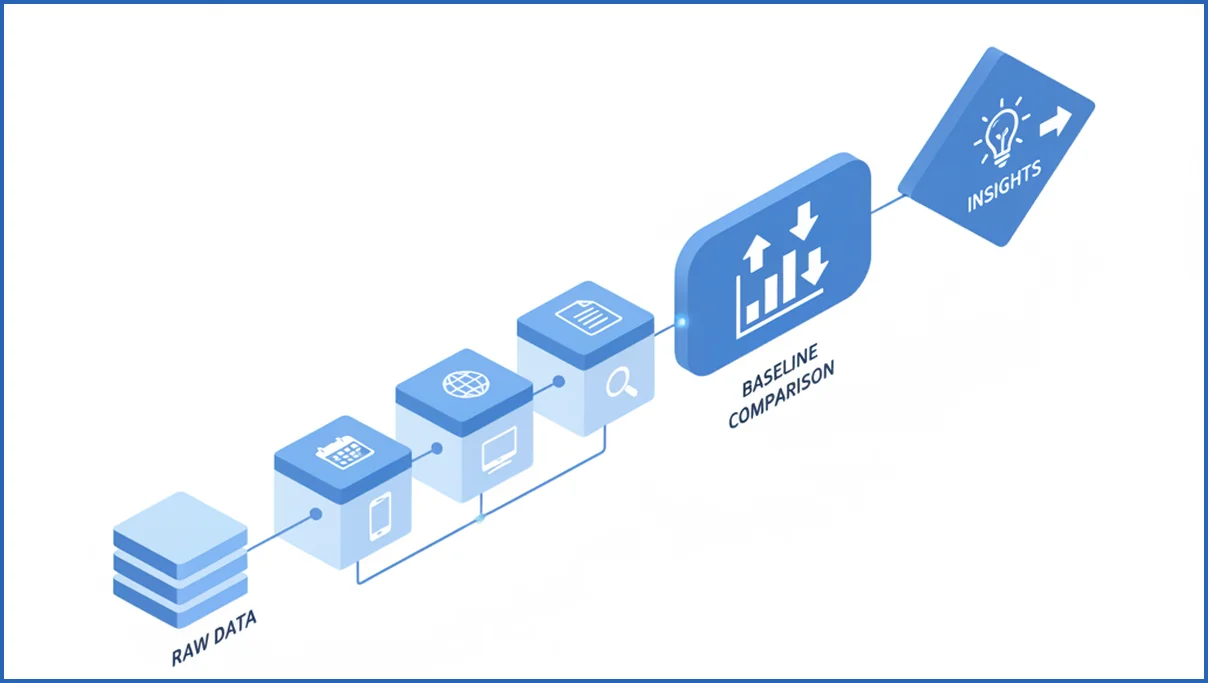
Start with a stable comparison window. For most sites, compare the last 28 days against the previous 28 days. For seasonal sites, use year-over-year instead. Then segment by device and country before you look at winners or losses. Mobile drops often hide inside blended averages.
A reliable baseline usually includes branded versus non-branded queries, top folders, and your top 20 landing pages. That setup keeps noise down. If your team already works in Claude, the broader MCP stack makes it easier to join search and analytics data without manual exports.
- Set date range and comparison.
- Filter by search type, device, and country.
- Separate branded and non-branded terms.
- Review pages first, then drill into queries.
Find SEO Opportunities in Queries and Pages
The fastest wins usually sit in three buckets. High impressions with weak CTR. Positions 8 to 15 with solid relevance. Pages that rank for many queries but do not fully answer them. A page showing 12,400 impressions, position 9.3, and 1.1% CTR is often a title and snippet problem, not a content problem.
Look at page-level data first, then open the query tab for that URL. You might find one article ranking for 47 queries, with 19 of them in positions 6 to 12. That is a strong refresh candidate. Tighten headings, add missing subtopics, and improve internal links. If title rewrites are the issue, better meta title work usually moves faster than a full rebuild.
For example, export a page report and flag rows where impressions are above 1,000, CTR is below site median, and position is between 5 and 15. That gives you a practical shortlist. Content teams planning updates at scale can pair this with a stronger content planning framework so refreshes do not happen in isolation.
Rule set:
- impressions > 1000
- avg_position between 5 and 15
- ctr < site_median_ctr
Action:
1. rewrite title
2. improve intro and headings
3. add 3-5 internal links
4. recheck after 14 days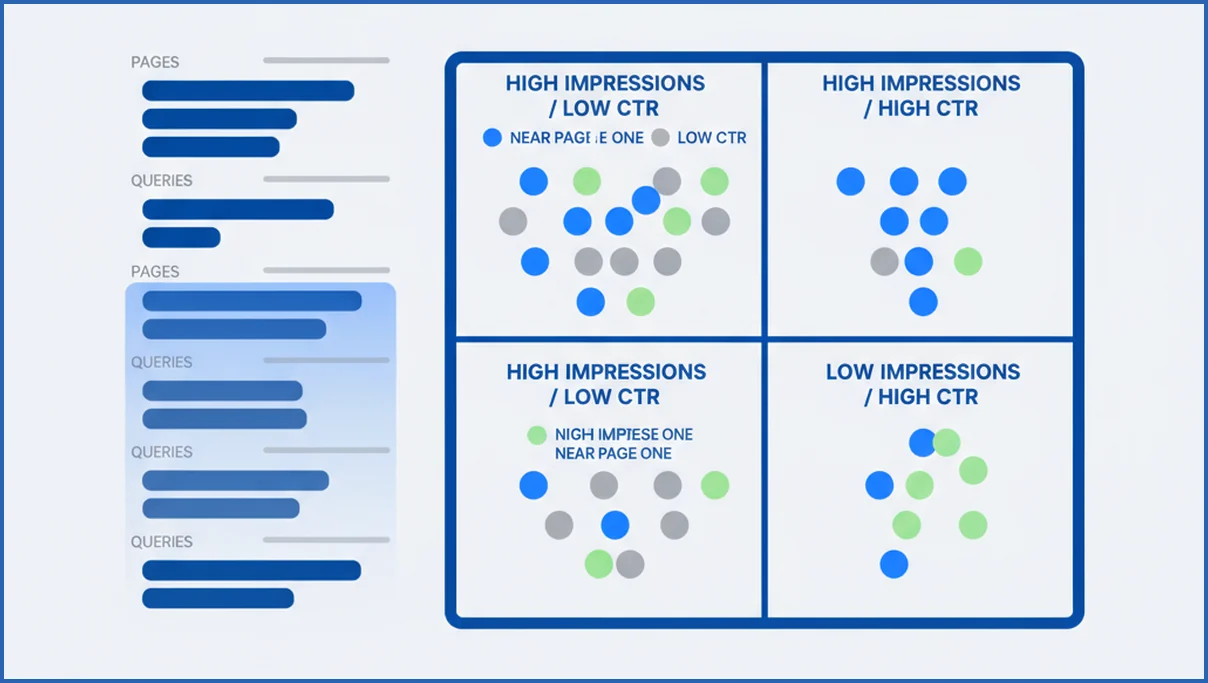
Diagnose Drops, Spikes, and Indexing Problems
When traffic moves hard, compare periods before you guess. Check whether the drop is query-specific, page-specific, device-specific, or country-specific. A 42% click drop on mobile US only points to a different issue than a sitewide decline. Then inspect indexing, manual actions, and page status reports.
Sudden losses often come from changed templates, accidental noindex tags, weaker titles, or query intent shifts. Spikes can be just as misleading. News coverage, forum mentions, or one trending query can inflate performance for a week. If technical causes look likely, a disciplined technical SEO review should happen before content rewrites.
Compare GSC with Other Data Sources Carefully
GSC clicks are not GA4 sessions. GSC records search result clicks. GA4 records sessions after the page loads and the analytics tag fires. Cookie consent, redirects, JavaScript errors, and timezone differences all create gaps. A page can show 1,200 clicks in GSC and 930 organic sessions in GA4 without anything being broken.
That is why you should reconcile by trend, not demand exact parity. Use GSC for search visibility, use GA4 for behavior and conversion quality, and use rank tools for broader SERP context. If you need both search and session views in one workflow, the GA4 MCP setup pairs well with GSC exports.
Turn Findings into an SEO Action Plan
Prioritize by impact, effort, and confidence. Title updates are low effort and worth doing when impressions are already high. Content refreshes fit pages ranking just outside page one. Internal links help pages with topical fit but weak authority flow. Template or indexing fixes move first when multiple URLs share the same symptom. Internal link improvements are often underestimated because they compound across clusters.
A simple scoring model works well: impact out of 5, effort out of 5, confidence out of 5. Multiply impact by confidence, then divide by effort. A page with 8,700 impressions, position 11.2, and stale copy should outrank a speculative new article idea. Teams building AI-assisted workflows can push this even further with agent-style SEO operations, but the judgment layer still matters.
How to segment branded vs non-branded queries
Branded and non-branded queries behave differently, so mixing them often hides the real story. Brand terms usually carry higher CTR, stronger average position, and lower volatility. Non-branded terms show truer demand for your content and category coverage. In Google Search Console, export 3 to 6 months of query data and tag every row with a simple brand rule. Include your company name, product names, common misspellings, and executive names if people search them often.
Use regex in Sheets, Excel, or Looker Studio to classify queries at scale. For example, a pattern like “brand|brandname|productx|product x” catches most brand variations. Then compare clicks, impressions, CTR, and position by segment. If total clicks are flat but non-branded impressions are up 25 percent, your SEO reach may be improving even if brand demand softened. This kind of segmentation also makes content planning sharper, especially when paired with keyword clustering workflows.
For cleaner decisions, create a third bucket for mixed-intent queries. These include searches like “brand alternative” or “brand pricing.” They are not pure brand demand and should not inflate your branded baseline. Review these three segments monthly. On larger sites, add country and device cuts. Mobile branded CTR can stay stable while desktop non-branded CTR falls, which points to SERP layout changes rather than content quality.
How AI Mode Changes GSC Analysis Priorities
AI Mode changes how you read Search Console because visibility can rise without a matching jump in clicks. As Google expands AI-powered answers, more searches may end inside summarized experiences, which can alter click behavior for informational queries in many cases. That means good google search console analysis should prioritize query intent, page role, and pre-click visibility patterns, not clicks alone. For a broader view of this shift, see Google AI Mode explained.
Start by separating head terms from mid-tail and long-tail queries. Then compare CTR and average position by intent class, not just by page. A page that keeps impressions steady while CTR falls may be losing traffic to richer SERP features, not ranking worse. Google has also said Search Console reports on search result interactions, so analysts should expect reporting nuance as search experiences evolve.
- Track impression growth for non-branded informational queries before judging click declines.
- Review pages with position stability but CTR drops larger than 15 percent over 28 days.
- Compare query groups by intent so AI-summarized searches do not distort page-level decisions.
Frequently Asked Questions
How often should I review Google Search Console data?
Weekly works for most sites. That gives enough data to spot trends without overreacting to daily noise. Large publishers or ecommerce sites may need daily checks for indexing, key templates, and major folders. Monthly review alone is usually too slow if you publish often or make technical changes regularly.
What metrics matter most in Google Search Console analysis?
Clicks, impressions, CTR, average position, and indexing status are the core set. None should be read alone. High impressions with low CTR suggests a snippet problem. Low impressions with decent position suggests weak demand or limited indexing. Indexed pages that never gain impressions often point to poor relevance or weak internal discovery.
Why do GSC clicks differ from GA4 sessions?
They measure different moments. GSC counts a click from search results. GA4 counts a session once the page and tracking setup load properly. Users can bounce before GA4 fires, consent settings can block tags, and redirects can interrupt tracking. Compare direction and magnitude, not exact one-to-one counts.
How do I find pages with the biggest SEO upside?
Filter for pages with strong impressions, positions between 5 and 15, and below-average CTR or stale content. Then review the queries for those pages. You want assets that already have visibility but weak click capture or incomplete coverage. Those tend to improve faster than brand-new pages with no search history.
What causes sudden drops in Search Console performance?
Common causes include indexing issues, title or template changes, seasonality, lost SERP features, intent shifts, and competitor gains. Sometimes Google simply rewrites your snippet less favorably. Check page indexing, compare device and country splits, and inspect the exact pages and queries that lost clicks before making sitewide changes.
Can I use GSC analysis for local SEO?
Yes, but with limits. GSC helps you see city or country patterns only where Google exposes enough geographic signal. It is useful for local landing pages, branded queries, and mobile visibility trends. Pair it with Google Business Profile data and local rank tracking if map pack performance is the main question.
Which filters are most useful in Search Console reports?
Date comparison, device, country, query, page, and search type are the most useful filters. Branded versus non-branded segmentation also matters, even if you have to do it manually. For larger sites, folder-level filters are valuable because they reveal whether problems sit in a section, a template, or isolated URLs.
Your next step is simple. Pick one folder, compare the last 28 days to the previous 28, and build a list of pages ranking in positions 5 to 15 with weak CTR. If that list does not produce clear actions, the issue is usually your segmentation, not the data.
How does AI Mode affect Google Search Console reporting?
AI Mode can change how you interpret Search Console more than the raw metrics themselves. You may see impressions hold or grow while clicks and CTR soften for informational queries. That does not always mean rankings worsened. In many cases, users get more context before clicking. Pair GSC with page intent analysis and AI search optimization guidance so you do not misread normal SERP behavior as a content failure.
What to focus on next
Search Console still matters, but the best reads now come from better segmentation and calmer interpretation. Separate branded demand from discovery growth. Judge post-update changes after enough time passes. Watch impressions, CTR, and position together, especially on informational pages touched by AI-driven SERPs. When you apply those filters consistently, your analysis leads to clearer content, stronger prioritization, and fewer false alarms.

