
Last updated: August 2026
MCP content marketing matters because most teams do not have an ideas problem. They have a handoff problem. Briefs sit in docs, analytics live somewhere else, and AI works with partial context. MCP fixes that by letting models pull from the systems you already use, so research, drafting, optimization, and reporting happen with fewer copy-paste steps and fewer blind spots.
TL;DR
- MCP connects AI tools to your marketing stack.
- Use it to brief, research, draft, and repurpose content faster.
- Start with one workflow before expanding across your team.
- Track quality, speed, and consistency-not just output.
What MCP Means for Content Marketing
MCP stands for Model Context Protocol. In plain terms, it gives an AI model a structured way to access tools, files, and live data. For content teams, that means your model can read search queries, page performance, content inventories, and internal guidelines without someone pasting everything into chat.
That changes the role of AI. Instead of a generic writer, it becomes a workflow operator with context. If you need the technical model, this MCP server explainer covers the mechanics well. The practical takeaway is simple. Better context produces better briefs, sharper drafts, and fewer edits.
A strong example is pairing Claude with a Google Search Console MCP setup. You can ask for queries ranking in positions 8 to 15, grouped by intent, then turn that into a brief for a refresh. That is far more useful than asking a model to “write an SEO article” with no performance data attached.
Core Use Cases Across the Content Workflow
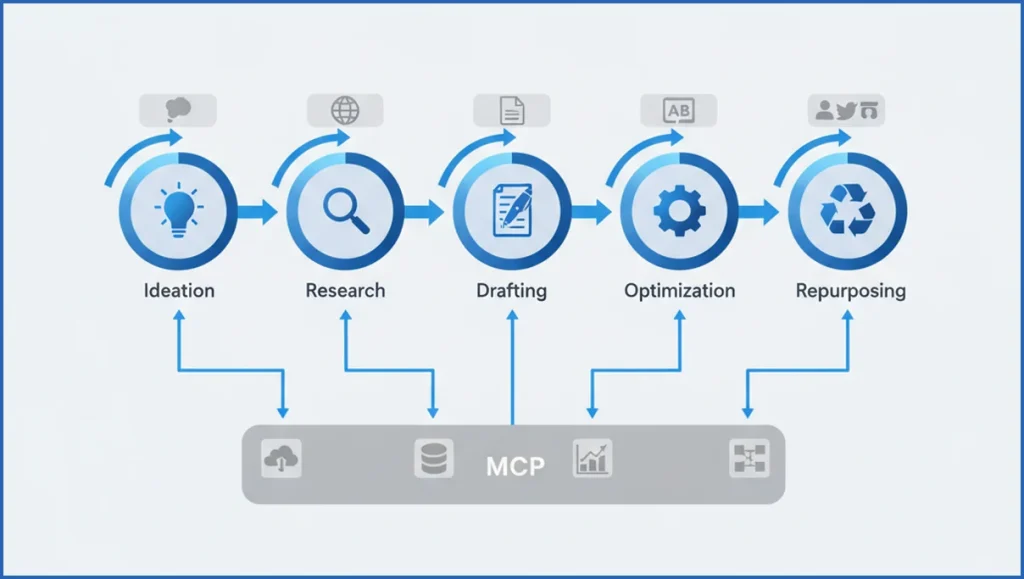
MCP helps at five points: ideation, research, drafting, optimization, and repurposing. During ideation, the model can pull low CTR queries or fast-growing topics from analytics. During research, it can combine page data, notes, and SERP observations into a usable outline. That is cleaner than juggling five tabs and a spreadsheet.
Drafting improves when the model sees your templates, voice notes, and prior winners. Optimization gets better when it reads headings, missing entities, and internal link targets in one pass. If you already run an AI blog writing workflow, MCP gives it better inputs, which is usually where quality breaks.
Repurposing is the underrated use case. A single article can become a newsletter, LinkedIn post set, webinar outline, and FAQ block when the model can access source content plus channel rules. Example workflow: pull top sections from a 2,400-word guide, fetch GA4 engagement, then generate three social variants based on the highest-read section.
How to Choose the Right MCP Setup
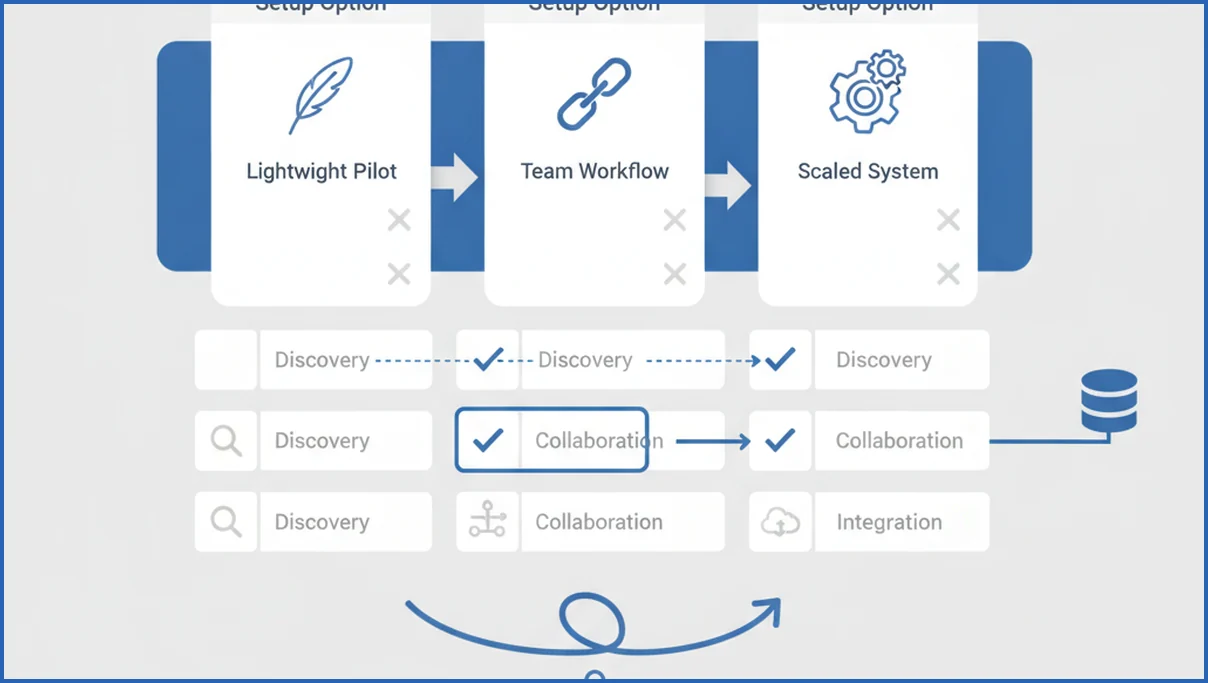
Pick the setup based on workflow complexity, not trend pressure. A solo consultant may only need file access and Search Console. A 12-person content team may need CMS access, analytics, approval logic, and shared prompts. Free MCP servers for Claude are enough for many pilots if your goal is research and briefing first.
Permissions matter more than most teams expect. If the model can read draft folders, analytics, and brand docs, decide who can trigger what. Keep the first version narrow. Read-only access is safer than write access. Logging matters too, especially if you need to explain where a recommendation came from.
Use a simple filter before rollout:
- Which workflow wastes the most hours each week?
- Which data source would improve output quality fastest?
- Which team member owns final approval?
Step-by-Step MCP Content Marketing Playbook
Start with one workflow that already has a clear owner and measurable output. Good first picks are content briefs, update recommendations, or repurposing from long-form to email. Teams that skip this step usually end up with scattered prompts and no baseline.
- Pick one use case with weekly volume.
- Connect one or two trusted data sources.
- Write a standard prompt with required inputs.
- Add human review criteria.
- Track time saved and revision rate for 30 days.
Here is a practical briefing example using GSC data and a content template:
Task: Create a refresh brief for /blog/example-post
Inputs:
- Top queries from last 90 days
- Queries in positions 8-15
- Current H2 structure
- Brand voice guide v2
Output:
- Primary intent
- Missing subtopics
- Suggested H2 revisions
- Internal link targets
- Meta title options
Once that works, document the flow. Save prompt versions, source rules, and approval steps in one place. If your team is already improving how it automates content briefs, MCP is the layer that turns a prompt into a repeatable system instead of a one-off trick.
Quality Control, Governance, and Brand Safety
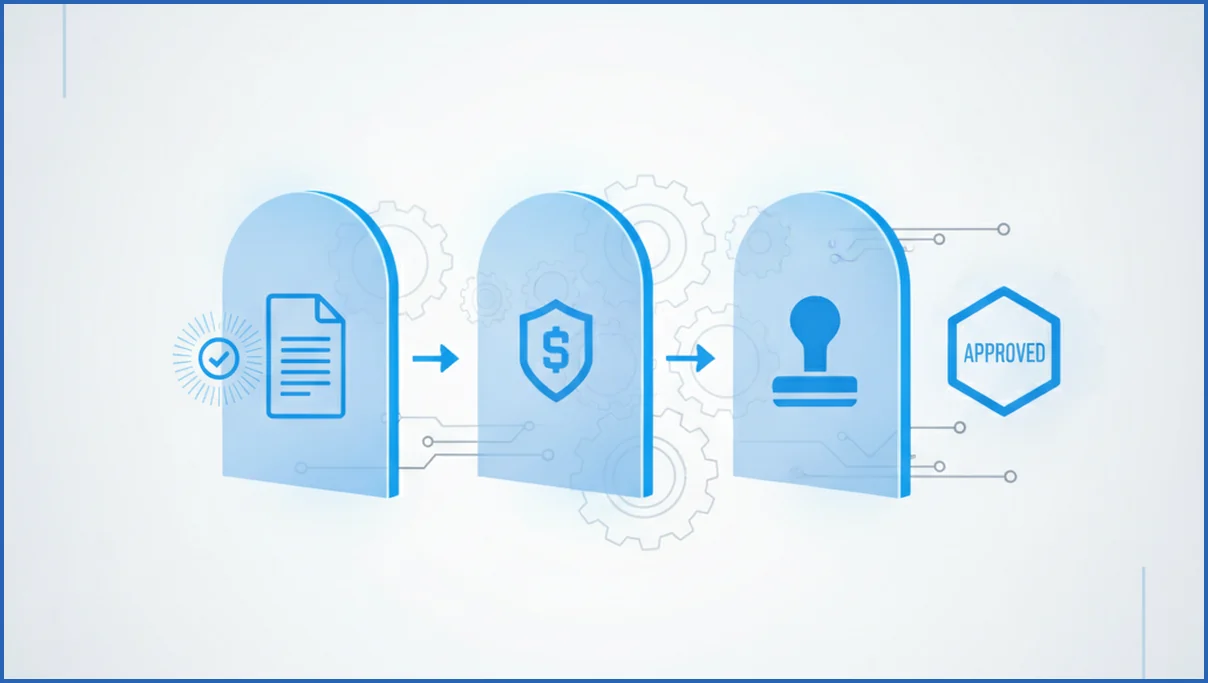
MCP output still needs guardrails. The model can fetch real data and still make a bad call if your source hierarchy is messy. Set review gates for facts, brand tone, legal claims, and publish readiness. For search content, require source checks on stats and a quick SERP sanity check before anything ships.
Brand safety improves when prompts include hard constraints. State banned phrases, reading level, citation rules, and product naming. If the model can access analytics through a GA4 MCP connection, use engagement data to spot sections readers ignore, but do not let that data rewrite your positioning on its own.
Common Mistakes and How to Avoid Them
The biggest mistake is automating a bad process. If briefs are vague, approvals are slow, or goals are fuzzy, MCP will speed up the mess. Fix the workflow first. Then connect the model.
Another issue is tool sprawl. One team uses Docs, another uses Notion, and nobody agrees on the source of truth. Keep one prompt library, one owner per workflow, and one review standard. A disciplined AI copywriting workflow beats five disconnected automations every time.
Measuring Success and Scaling the System
Measure speed, quality, and business impact together. Speed means hours saved per brief or draft. Quality means revision rate, factual error rate, and publish approval rate. Impact means organic clicks, assisted conversions, or email engagement after repurposing. Output count alone is vanity.
Scale in layers. Start with research, then briefing, then refresh recommendations, then multi-channel repurposing. Do not give every teammate every tool on day one. Add workflows only when the previous one is documented, reviewed, and stable. That is slower for two weeks and much cleaner for the next year.
Frequently Asked Questions
What is MCP in content marketing?
MCP in content marketing is the protocol that lets AI models access your working context through tools, files, and data sources. Instead of writing from a blank prompt, the model can read analytics, content docs, and templates. That makes its output more specific and easier to review. The value is not the protocol itself. The value is better context during real marketing work.
How does MCP improve content workflow speed?
It removes repeated manual steps. A strategist no longer has to export query data, paste it into chat, attach a brief template, and restate brand rules every time. The model can fetch those inputs directly if you set the workflow up well. That usually reduces prep time first. Drafting and optimization speed up after that because the inputs are cleaner.
Which teams benefit most from MCP content marketing?
Teams with recurring content operations benefit fastest. That includes SEO teams updating landing pages, editorial teams producing weekly articles, and demand gen teams repurposing webinars into email and social. Agencies also benefit because they repeat similar tasks across clients. Small teams can see gains too, but only if they have clear workflows and one source of truth.
Do I need technical skills to use MCP?
Not always. Many teams can start with existing MCP servers and basic setup help from an ops lead or technical marketer. You do not need to code to write strong prompts, define review rules, or choose the first workflow. You do need someone who understands permissions, data sources, and process design. Without that, the setup may work, but the results will stay inconsistent.
How do I keep MCP outputs on brand?
Use structured brand inputs, not vague reminders. Give the model approved messaging, banned claims, tone examples, product naming rules, and audience notes. Then add a human brand review before publishing. Teams get better results when prompts include constraints like sentence length, reading level, and formatting rules. A generic “sound like us” instruction is rarely enough for consistent output.
What should I measure after rollout?
Track time saved per task, revision rounds, approval rate, and error rate first. Then connect those operational gains to outcomes like organic clicks, assisted pipeline, or newsletter engagement. The useful question is whether the workflow improved both speed and confidence. If output volume rises but edits rise too, the system is creating work, not removing it.
Can MCP help with repurposing existing content?
Yes, and this is often the easiest win. MCP lets the model access the original article, channel guidelines, and performance data at the same time. That means it can turn one long asset into email copy, social posts, FAQ sections, and update ideas with fewer manual steps. Repurposing works best when you define format rules clearly and keep a human editor on the final pass.
If you are testing MCP content marketing, start with one briefing workflow tied to live search data. Measure revision rate for 30 days. If that number drops while output stays useful, you have a system worth expanding.

